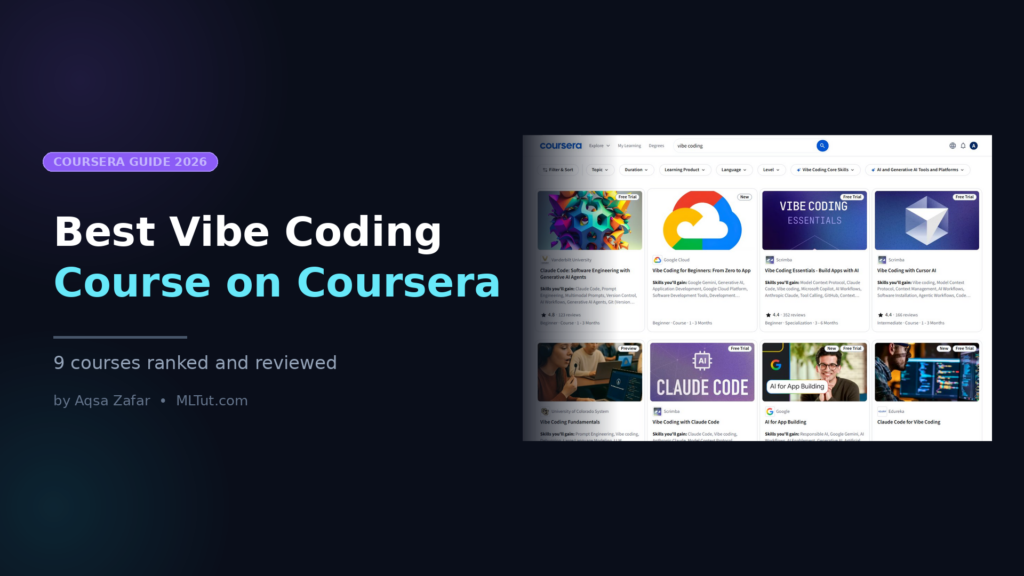
Looking for the best vibe coding course on Coursera? I have tried most of them myself, and not all are worth your time.
Here is what I noticed after going through every vibe coding course Coursera has right now: they are not the same. Some teach you to prompt Cursor AI like a pro. Some hand you Lovable and v0 and tell you to ship a startup. One of them is a university-backed course that actually slows down and explains why your AI-generated code breaks.
If you pick the wrong one, you will spend 8 hours learning a tool you did not need. If you pick the right one, you will ship your first working app this weekend.
In this guide, I walk you through the Best Vibe Coding Course on Coursera I would recommend, who each one is actually for, what you will build, and which one I would pick first if I were starting from zero today.
Now, let’s see the Best Vibe Coding Course on Coursera-
Best Vibe Coding Course on Coursera
- What is Vibe Coding?
- How I Picked These Courses
- Best Vibe Coding Courses on Coursera: Quick Comparison
- 1. Vibe Coding Essentials – Build Apps with AI (Scrimba)
- 2. Vibe Coding Fundamentals (University of Colorado)
- 3. Vibe Coding for Beginners: From Zero to App (Google Cloud)
- 4. Vibe Coding with Cursor AI (Scrimba, standalone)
- 5. Vibe Coding with Claude Code (Scrimba, standalone)
- 6. Vibe Coding with GitHub Copilot (Scrimba, standalone)
- 7. Vibe Coding with Lovable: From Idea to App (SkillsBooster Academy)
- 8. The Non-Coder's Guide to Vibe Coding (SkillsBooster Academy)
- 9. AI for Vibe Coding (AI CERTs)
- Which Course Should You Actually Pick? My Recommendation Based on Your Situation
- Is Coursera Plus Worth It for Vibe Coding?
- Common Questions About Vibe Coding Courses on Coursera
What is Vibe Coding?
Vibe coding is building software by describing what you want in natural language, and letting an AI write the actual code. You are still the one making decisions, reviewing output, and fixing what breaks. You are just not typing every semicolon anymore.
The term got popular in early 2025 when Andrej Karpathy tweeted about it. Since then, it has moved from a fun experiment to a real workflow. Marketers are shipping internal tools. Designers are building prototypes without waiting for engineering. Solo founders are launching MVPs in a weekend.
The tools that power this are Cursor AI, Claude Code, GitHub Copilot, Lovable, Bolt, v0, Windsurf, and Replit. A good vibe coding course teaches you how to use these tools well, how to write prompts that actually work, and how to debug when the AI gives you something broken. If you are specifically interested in comparing Claude’s two main dev tools, I have written about when to use Claude Cowork vs Claude Code based on my own experience.
How I Picked These Courses
Before I list anything, here is what I looked at:
- Who is teaching it? A course from Scrimba or Google Cloud lands differently than one from a random creator. Instructor reputation is important.
- What you actually build. If the course promises apps but you finish with three quizzes and zero projects, it is not a real vibe coding course.
- Tool coverage. Cursor, Claude Code, and GitHub Copilot are the tools getting used in the real world. I gave more weight to courses teaching these.
- Learner reviews and ratings. I read through the low-star reviews too, not just the five-star ones.
- Price and access. Almost all of these are covered by Coursera Plus ($239/year with the current deal), which changes the math.
Nothing below is an accidental recommendation. Every course here has a specific use case. My job is to match you to the right one.
Best Vibe Coding Courses on Coursera: Quick Comparison
| Course | Best For | Learners who want a university certificate | Level | Tools Covered |
|---|---|---|---|---|
Vibe Coding Essentials (Scrimba) | Overall best pick | ~4 weeks | Beginner | Cursor, Claude Code, GitHub Copilot, MCP |
| Vibe Coding Fundamentals (CU System) | Learners who want a university cert | 6 hours | Beginner | Replit, Lovable, Bolt, LLMs in general |
| Vibe Coding for Beginners: From Zero to App (Google Cloud) | Google stack users | ~6 hours | Beginner | Gemini, Firebase, Google Cloud |
| Vibe Coding with Cursor AI (Scrimba) | Cursor-only focus | 1 hour | Intermediate | Cursor AI |
| Vibe Coding with Claude Code (Scrimba) | Claude Code deep dive | 1 hour | Beginner | Claude Code, MCP |
| Vibe Coding with GitHub Copilot (Scrimba) | GitHub Copilot users | 2 hours | Beginner | GitHub Copilot |
| Vibe Coding with Lovable (SkillsBooster) | Non-coders building web apps | Short | Beginner | Lovable |
| Non-Coder’s Guide to Vibe Coding (SkillsBooster) | Total non-coders | Short | Beginner | Lovable, v0, Gamma |
| AI for Vibe Coding (AI CERTs) | Certification-focused learners | ~4 hours | Beginner | Copilot, Codex, Python, Streamlit |
1. Vibe Coding Essentials – Build Apps with AI (Scrimba)
Best for: anyone serious about vibe coding who wants one structured path through the top tools.
Why I rank this #1: This is the only course on Coursera that covers Cursor AI, Claude Code, GitHub Copilot, and MCP together, inside one specialization. It is built by Scrimba, whose interactive code-along format is one of the best teaching styles I have come across. You watch a video, pause it, edit the code right in the video, and keep going. You actually build things.
What you will build:
- A personal portfolio website you can actually use to apply for jobs
- Small games
- Chrome extensions
- Database-powered apps
- A mobile app
- Deployment to the real web using GitHub and Netlify
Course structure (5 courses):
- Vibe Coding with Cursor AI (1 hour)
- Vibe Coding with GitHub Copilot (2 hours)
- Vibe Coding with Claude Code (1 hour)
- Intro to Model Context Protocol (MCP) (1 hour)
- Learn to Code with AI (8 hours)
The final course is the one that separates this specialization from every other beginner course out there. Most vibe coding courses skip HTML, CSS, and JavaScript entirely, which is why learners get stuck the moment the AI gives them broken code. This one gives you just enough foundation to read what the AI writes, catch its mistakes, and fix them.
Who this is for: marketers, designers, accountants, career switchers, or curious professionals with zero coding background. The course explicitly says no prior experience is needed, and I agree after going through it.
Who should skip it: experienced developers who already use Cursor daily. You will find the pacing too slow.
Instructors: Per Harald Borgen (Scrimba co-founder, 62k+ learners), Guil Hernandez, and Maham Codes. All three have strong track records on Scrimba’s platform.
Rating: 4.4 stars from 351 reviews across the specialization. About 15,000 learners are already enrolled.
Cost: Included with Coursera Plus. If you do not have Coursera Plus, individual courses are available with a free trial.
My honest take: if you only take one vibe coding course from Coursera this year, take this one. It is the most complete, most practical, and has the best instructors. You finish with real projects, not just a certificate.
2. Vibe Coding Fundamentals (University of Colorado)
Best for: learners who want a university-backed certificate on their LinkedIn and prefer a more academic teaching style.
This one is taught by Scott Reed at the University of Colorado, and it takes a different angle than Scrimba. Instead of going tool by tool, it teaches you the underlying thinking, which LLM to pick, how context windows work, why prompts matter, and how to debug when the AI gives you spaghetti code.
What you will learn in 3 modules:
- Module 1: Foundations of vibe coding, choosing tools like Replit, Lovable, and Bolt, understanding frontend vs backend
- Module 2: Prompt engineering, LLM selection, context windows, agents vs assistants, GitHub basics
- Module 3: Debugging, security audits, bias audits, API schemas, component libraries
The security and bias modules are what make this course stand out. No other vibe coding course on Coursera teaches you to audit your app for security holes or bias in AI-generated code. This matters a lot if you plan to ship anything to real users.
Who this is for: people who want the University of Colorado name on their certificate, professionals in regulated industries (healthcare, finance, legal) who need to think about bias and security, and learners who prefer readings and structured assessments over watch-and-code formats.
Who should skip it: If you just want to ship something fast, the Scrimba track is a better fit. This one is more conceptual.
Length: 6 hours, 5 assignments, self-paced.
Rating: 4.4 stars, 25 reviews, about 4,500 enrolled so far. Newer course, fewer reviews, but the content holds up.
Cost: Free to audit, pay for the certificate. Coursera Plus covers it.
3. Vibe Coding for Beginners: From Zero to App (Google Cloud)
Best for: anyone already in the Google ecosystem or planning to build on Google Cloud.
This is Google’s own vibe coding course, and it teaches you to build with Gemini, Firebase, and Google Cloud. If you are going to deploy your apps on Google’s infrastructure anyway, this is the most direct path.
What you will do:
- Set up a project in Google Cloud
- Build a live website with Firebase
- Use Gemini to write, test, and debug your code
- Ship an app that is actually usable
The course is refreshingly honest: you can do this with zero coding experience. You just need to be curious and follow along.
Who this is for: Google Workspace users, startups planning to use Firebase, and anyone who prefers Google’s tools over Microsoft or independent platforms.
Who should skip it: if you want tool diversity (Cursor, Claude Code, etc.), this is too narrow. You are locked into the Google stack.
Cost: Included with Coursera Plus.
4. Vibe Coding with Cursor AI (Scrimba, standalone)
Best for: people who already know Cursor exists and just want the fastest way to get productive with it.
This is the standalone version of the first course inside the Vibe Coding Essentials specialization. If you do not want the full 4-week program and just want Cursor, start here.
What you will learn in 1 hour:
- Installing and configuring Cursor AI
- Using the AI chat panel to generate and refine code
- Using the Cursor’s agent mode
- Debugging with context-aware tools
Heads up: this course is marked intermediate, not beginner. You need basic HTML, CSS, and JavaScript to keep up. If you have zero coding background, start with Vibe Coding Essentials or Vibe Coding Fundamentals instead.
Rating: 4.4 stars, 166 reviews, 22k enrolled. Taught by Maham Codes.
Cost: Free trial available, then Coursera Plus.
5. Vibe Coding with Claude Code (Scrimba, standalone)
Best for: people curious about Claude Code specifically.
Claude Code is Anthropic’s terminal-based coding tool, and it works differently from Cursor or Copilot. It runs in your command line, which scares people off at first, but it is absurdly powerful for larger tasks. If you want a deeper walkthrough of the tool itself before taking a course on it, see my step-by-step guide on how to learn Claude Code.
What you will learn:
- Using Claude Code hooks, slash commands, and agents
- Building a calendar app as a practical project
- Configuring Claude Code with MCP (Model Context Protocol) to connect external tools and data
The MCP part is where this course earns its keep. Most vibe coding courses ignore MCP entirely. If you want your AI to talk to your database, your calendar, or your Notion workspace, you need MCP, and you need this course. I have also rounded up the full list of best Claude Code courses across platforms if you want to go deeper after this one.
Who this is for: developers and technical folks who are comfortable in a terminal. Anyone building internal tools that need to connect to real systems.
Cost: Included with Coursera Plus.
6. Vibe Coding with GitHub Copilot (Scrimba, standalone)
Best for: developers who already use GitHub and VS Code.
GitHub Copilot was the first AI coding tool most developers used, and it is still the most widely deployed one at companies. If your team already pays for Copilot, this course teaches you how to actually use it well, not just let it autocomplete your imports.
What you will learn in 2 hours:
- All four Copilot modes: edit, chat, inline completion, and agent
- Slash commands and context tools
- Customizing Copilot’s behavior for your project
- A real-world coding workflow from start to finish
Who this is for: early-stage developers, CS students, and professionals whose employer already has a GitHub Copilot subscription.
Cost: Free trial, then Coursera Plus.
7. Vibe Coding with Lovable: From Idea to App (SkillsBooster Academy)
Best for: founders, marketers, creators who want to ship a real app without writing code.
Lovable is one of the most interesting no-code AI builders out there. You describe what you want in plain English, and it generates a working app. This course teaches you how to use it well, not just play with it.
What you will learn:
- Lovable’s Plan Mode and Agent Mode
- The code editor, custom knowledge, and design tools
- Publishing and connecting custom domains
- Writing prompts that actually work
- Avoiding the most common beginner mistakes
Who this is for: founders validating an MVP, marketers building internal tools, product designers who want to prototype fast.
Heads up: this course is narrower than the Scrimba specialization. You learn Lovable deeply, but you do not learn Cursor, Claude Code, or GitHub Copilot. If you want breadth, go with Scrimba.
8. The Non-Coder’s Guide to Vibe Coding (SkillsBooster Academy)
Best for: complete non-coders who freeze up when they see a terminal.
This one is for the person who does not know what an IDE is and does not want to know. No terminal. No GitHub. No “let me install Node.”
What you will build:
- Functional apps using Lovable, v0, and Gamma
- Professional presentations
- No-code workflows driven by clear prompts
Who this is for: teachers, entrepreneurs, students in non-technical fields, or anyone who wants to see what vibe coding looks like before investing more time.
Who should skip it: if you have any coding background at all, you will find this basic.
9. AI for Vibe Coding (AI CERTs)
Best for: learners who specifically want an AI-certified credential on top of the Coursera certificate.
This course is run by AI CERTs and awards its AI+ Vibe Coder™ certification on completion. It covers GitHub Copilot, OpenAI Codex, Python, TensorFlow, FastAPI, and Streamlit.
What makes it different: this one is more technical than the other beginner courses. You work with actual Python libraries, build a full-stack app as a capstone, and come out with something closer to what a junior developer would build.
Heads up: the scope is wide, which means you will not go deep on any single tool. If you want mastery of one tool, pick the tool-specific Scrimba course instead.
Which Course Should You Actually Pick? My Recommendation Based on Your Situation
Here is the honest flowchart I would use:
- You have zero coding experience and want the most complete path: Vibe Coding Essentials (Scrimba specialization). Take it. You will not regret it.
- You want a university-backed certificate for your LinkedIn: Vibe Coding Fundamentals from the University of Colorado.
- You are already on Google Cloud or use Gemini daily: Vibe Coding for Beginners: From Zero to App.
- You only want to learn Cursor AI and nothing else: Vibe Coding with Cursor AI (standalone, 1 hour).
- You want to build with Claude Code and MCP: Vibe Coding with Claude Code.
- You already have GitHub Copilot at work: Vibe Coding with GitHub Copilot.
- You are a founder and want to ship an MVP this weekend: Vibe Coding with Lovable.
- You are completely non-technical and scared of code: The Non-Coder’s Guide to Vibe Coding.
- You want a formal AI certification: AI for Vibe Coding by AI CERTs.
Is Coursera Plus Worth It for Vibe Coding?
Yes, if you plan to take more than one course. Coursera Plus is currently $239/year (usually $399), and it covers every course on this list. One standalone course is usually $49–$79 per month or $49–$79 for a certificate. Take three or more, and the math works out heavily in favor of Plus.
I would grab Coursera Plus, take the Scrimba specialization first, then dip into the other ones for specific tools you need. That is the cheapest path to the most knowledge.
Common Questions About Vibe Coding Courses on Coursera
Conclusion
If you asked me today, “Aqsa, I have zero experience, and I want to ship something real in a month,” I would tell you to take Vibe Coding Essentials from Scrimba on Coursera. It covers the tools that actually matter (Cursor, Claude Code, GitHub Copilot, MCP), it teaches you just enough real code to not get stuck, and the Scrimba format keeps you building instead of just watching.
If you want a university name on your cert, grab Vibe Coding Fundamentals from the University of Colorado as a second option.
Everything else on Coursera is useful, but only for specific situations. Match your situation, pick the course, and start shipping.
One last thing. No course will turn you into a vibe coder. Only building stuff will. Pick the shortest course that unblocks you, and spend the rest of your time on your own project. That is how this actually works.
Happy Learning!
Related Reading on MLTut
Best Course to Learn Claude Code: Top 6 Online Courses
How to Learn Claude Code (Step-by-Step Guide)
When to Use Claude Cowork vs Claude Code
Best Resources to Learn Claude Code
Best AI Courses for Working Professionals
Thank YOU!
Explore more about Artificial Intelligence.
Thought of the Day…
‘ It’s what you learn after you know it all that counts.’
– John Wooden

Written By Aqsa Zafar
Aqsa Zafar is a Ph.D. scholar in Machine Learning at Dayananda Sagar University, specializing in Natural Language Processing and Deep Learning. She has published research in AI applications for mental health and actively shares insights on data science, machine learning, and generative AI through MLTUT. With a strong background in computer science (B.Tech and M.Tech), Aqsa combines academic expertise with practical experience to help learners and professionals understand and apply AI in real-world scenarios.