
Are you looking for the best laptops for python programming in 2026? So let me save you the endless comparison. The good news is Python itself is light, it’ll run on almost anything. So you don’t need an expensive machine just to write Python.
So let me tell you what actually counts. For general Python programming and learning, you want at least 16GB of RAM, a modern processor (Intel Core Ultra, AMD Ryzen, or Apple M-series), and an SSD. That combination handles everything most Python developers do. You only need more, a dedicated GPU especially, if you’re going into heavy machine learning or deep learning. Below I’ll break down the exact specs to look for, then give you 5 solid laptops across different budgets.
Now, without any further ado, let’s get started-
Best Laptops for Python Programming 2026
- RAM: 16GB is the sweet spot
- Processor: any modern chip is fine
- Storage: SSD, always, 512GB ideal
- GPU: you only need one for machine learning
- Display, battery, and the rest
- Operating system: Windows, Mac, or Linux?
- Quick spec summary
- 1. Apple MacBook Pro
- 2. 2026 Lenovo ThinkPad T490
- 3. Dell XPS 15 7590
- 4. Google Pixelbook Go
- 5. Acer Predator Helios 300
Let’s start with the required configuration for Python Programming laptops. So the requirements for Python Programming laptops are-
What specs do you actually need for Python programming?
So before the laptops, let me explain what genuinely counts, because a lot of laptop guides push you toward expensive specs you don’t need for Python. This is the honest version, updated for 2026 hardware.
RAM: 16GB is the sweet spot
RAM is the spec that actually shapes your day-to-day Python work most, because it’s what lets you run your code, your browser with 30 Stack Overflow tabs, and your IDE all at once without slowing down. 8GB is the bare minimum and it’ll work for basic learning, but honestly, in 2026 I’d treat 16GB as the real standard. It’s the difference between smooth and frustrating the moment you’re working on anything real. If you’re heading into data science or machine learning, consider 32GB, since big datasets eat memory. So: 8GB minimum, 16GB recommended, 32GB if you’re doing data-heavy work.
Processor: any modern chip is fine
So this is the thing people overthink. Python doesn’t need a monster processor for normal use. Any current-generation chip handles it easily. In 2026 that means an Intel Core Ultra (the new naming, replacing the old i5/i7 line), an AMD Ryzen (Ryzen 5 or 7), or an Apple M-series chip (M3, M4, or newer). The Apple M-chips in particular are excellent for programming, fast, cool, and incredible battery life. So don’t stress about getting the absolute top processor. A mid-range current chip is plenty for Python. Only go high-end if you’re compiling large projects or training models.
Storage: SSD, always, 512GB ideal
This one’s simple. Get an SSD, never a spinning HDD, in 2026 an SSD is standard and it makes your whole laptop feel faster, from boot to opening your IDE. For size, 256GB is the minimum, but 512GB is the comfortable sweet spot after you factor in your OS, development environments, and datasets. And storage is the easiest thing to work around, you can always use cloud storage or an external drive, so if money’s tight, this is the spec to compromise on first.
GPU: you only need one for machine learning
So do you need a dedicated graphics card for Python? For normal Python programming, web development, scripting, automation, data analysis, no, you don’t. Integrated graphics are completely fine. You only need a dedicated GPU (an NVIDIA RTX card) if you’re getting into deep learning and training neural networks, where the GPU does the heavy lifting. So if that’s your path, look for an NVIDIA RTX GPU. If it’s not, save your money and skip the dedicated graphics entirely. I cover this fully in my guide to the best laptops for deep learning and machine learning if that’s your goal.
Display, battery, and the rest
A few smaller things that help with comfort. For the display, aim for at least a 15-inch Full HD (1920×1080) screen if you can, staring at code all day is easier on a bigger, sharper screen, though many people happily code on 14-inch laptops for portability. For battery, if you code on the move or in cafes, look for something rated 8 hours or more (Apple M-series laptops are the champions here, easily lasting a full day). And for the keyboard, since you’ll be typing a lot, a comfortable keyboard genuinely counts more than people expect, try it if you can.
Operating system: Windows, Mac, or Linux?
Python runs perfectly on all three, so this is about your preference, not Python. Windows is the most familiar and has the widest laptop choice. macOS is loved by developers for its Unix-based terminal and smooth experience, and the M-series battery life is unbeatable. Linux is favoured by many programmers for its control and is free to install on most Windows laptops. So pick the OS you’re comfortable in, Python won’t care, and all its libraries work fine on each.
Quick spec summary
| Spec | Minimum | Recommended (2026) |
|---|---|---|
| RAM | 8GB | 16GB (32GB for ML) |
| Processor | Any current chip | Core Ultra / Ryzen 5-7 / Apple M-series |
| Storage | 256GB SSD | 512GB SSD |
| GPU | Integrated | NVIDIA RTX (only for deep learning) |
| Display | 14″ HD | 15″ Full HD or better |
| Battery | — | 8+ hours |
Python is light, so don’t overspend. RAM and an SSD count more than a top processor or GPU for normal Python work.
So, these are the requirements that you should keep in mind while choosing the best laptop for Python Programming. I hope you understood the requirements. Now, let’s find the Best Laptops for Python Programming–
Best Laptops for Python Programming 2026
1. Apple MacBook Pro

- CPU- 2.6GHz Intel Core i7 (9th gen)
- RAM- 16GB
- GPU- AMD Radeon Pro 5300M Graphics with GDDR6 memory
- Storage- 512GB SSD
- Display- 16-inch Retina Display with True Tone technology
This MacBook Pro has a 512 GB SSD, which is too fast and provides enough capacity for Python Programming.
The GPU of this MacBook is AMD Radeon Pro 5300M which works closely with 4 gigs of built-in VRAM. In terms of Display, Apple wins with the 16-inch screen featuring 3072×1920 pixels. This MacBook Pro is also known for its excellent Retina Display technology, supporting deepest blacks, liquid crystal enhancement, and precise visual alignment.
It has a powerful battery that lasts up to 11 hours.
It’s the most user-friendly option for those people getting into the field too. The best part of the Apple MacBook Pro is its excellent graphics support.
2. 2026 Lenovo ThinkPad T490

- CPU- Intel Core i5-8265U up to 3.9 GHz
- RAM- 16GB DDR4 RAM
- GPU- Don’t have dedicated GPU
- Storage- 256GB-2TB SSD (Varies from Model to Model)
- Desktop- 14” TN FHD
- Weight: 3.41 lbs
This laptop is capable of holding a Unix-Like environment smoothly along with all the powerful specs required to run large data sets. This is the perfect choice for those who want to install Linux Distros on a Windows laptop.
In this laptop, you can configure the RAM (8-40GB) and processor depending upon your needs. ThinkPads do not have a dedicated GPU.
As the storage unit of ThinkPads is from 256GB-2TB SSD (varies from model to model), so you can test your code with as much data you can fit into its hardware resources.
3. Dell XPS 15 7590
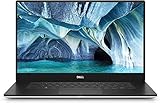
- CPU- 4. 5 GHz Intel Core i7-9750h
- RAM- 16 GB
- GPU- 4 GB Nvidia GeForce GTX 1650
- Storage- 256GB SSD
- Display- 15.6-inch 4K UHD OLED (3840 x 2160)
This is the perfect laptop for you if you are looking for a laptop that can handle technical and academic needs. There is an Intel Core i7-9750 processor on this laptop. So, no issue with slow speed. Besides that, this laptop has NVidia GeForce GTX 1650 GPU which is powerful and grouped with 4 gigs of VRAM support.
For OS, you get Windows 10. This laptop has 16 gigs of RAM, which is good to handle complex statistical analyses easily. The 15.6-inch screen size is good enough. The weight of this laptop is merely 4 pounds and features USB 3.0, Thunderbolt, and other productive ports for improved functionality.
Dell also provides a responsive fingerprint scanner and excellent Wireless support to improve security and connectivity. This laptop has a powerful battery that lasts up to 14 hours.
4. Google Pixelbook Go

- CPU: Intel Core m3 – Intel Core i7
- GPU: Intel UHD Graphics 615
- RAM: 8GB – 16GBw
- Screen: 13.3-inch Full HD (1,920 x 1,080) or 4K LCD touchscreen
- Storage: 128GB – 256GB eMMC
Pixelbook Go lets you stay unplugged for up to 12 hours. So, you don’t need to carry a charger. It is an 8th Gen Intel Core Processor and Chrome OS keeps you moving fast.
This is the best laptop that helps you with Python programming. This laptop can also run Linux, making it an even more versatile programming workstation.
5. Acer Predator Helios 300
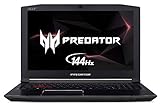
- CPU: 8th Generation Intel Core i7-8750H 6-Core Processor (Up to 4.1GHz) with Windows 10 Home 64 Bit
- GPU: NVIDIA GeForce GTX 1060
- RAM: 16 GB DDR4
- Screen: 15.6 Inches FHD IPS w/ 144Hz Refresh
- Storage: 256GB NVMe SSD
The Acer Predator laptop is a very impressive laptop. This laptop comes with an Intel Core i7 processor. It has 16GB of RAM along with 256GB of SSD.
It is a gaming laptop that’s why it has NVIDIA GEFORCE GTX 1060 too. Overall, this is the perfect laptop for programming. And the screen(17.3-inch) of this laptop is also impressive.
And here the list ends!. So these are the 5 Best Laptops for Python Programming in 2026.
Which laptop should you pick for your situation?
So five laptops, and you want to know which is right for you. Let me match them to real situations.
If you want the best all-round experience and battery life and don’t mind paying for it, go with the MacBook, the M-series chips are superb for programming. If you want a rock-solid Windows workhorse with a great keyboard for long coding sessions, the ThinkPad is the classic developer choice. If you want a premium Windows laptop with a beautiful screen, the Dell XPS is the pick. And if you’re on a tighter budget, look at the more affordable options on the list, remember, Python doesn’t need expensive hardware, so a mid-range laptop with 16GB RAM and an SSD will serve you well for years.
One honest thing, don’t buy more laptop than you need. If you’re learning Python or doing web development and data analysis, a mid-range laptop is genuinely enough. Save the expensive, GPU-heavy machines for when you’re actually doing deep learning.
What you DON’T need for Python programming
Let me save you some money, because laptop guides love to upsell. For normal Python work, you do not need the most expensive processor, a laptop with an i9 or Ryzen 9 is overkill for Python unless you’re compiling huge projects. You do not need a dedicated gaming GPU, integrated graphics are fine unless you’re training neural networks. You do not need 32GB of RAM for general programming, 16GB is plenty. And you do not need a 4K display, it drains battery and Full HD is perfectly sharp for code. So if a laptop is expensive mainly because of a big GPU and a 4K screen, and you’re not doing machine learning, you’re paying for things you won’t use.
Can you learn Python on a cheap or budget laptop?
Yes, genuinely. This is worth saying clearly because it stops people overspending out of fear. Python is one of the lightest things you can run, it’s just text files and an interpreter. Any laptop from the last few years with 8GB of RAM and an SSD can run Python, VS Code, and Jupyter notebooks perfectly well for learning and most real work. So if your budget is tight, don’t let anyone talk you into thinking you need an expensive machine to start coding. Get something with 8GB RAM (16GB if you can stretch) and an SSD, and you’re ready. You can always upgrade later when your work actually demands it.
Frequently asked questions
Now it’s time to wrap up.
Conclusion
So those are the best laptops for Python programming in 2026, and the specs that actually count. The one thing to remember, Python is light, so RAM and an SSD count more than chasing the most expensive processor or GPU. Get at least 16GB of RAM, a current chip, and an SSD, and you’ll have a laptop that handles Python comfortably for years.
So pick the one that fits your budget and your OS preference, and don’t overspend on power you won’t use unless you’re heading into machine learning. If you’ve got a laptop you love for Python, tell me in the comments. I read and reply to every one.
All the Best!
Happy Learning!
You May Also Interested In
Python for Everybody Specialization Coursera Review [Latest 2026]
30 Best+Free Resources to Learn Python Online in 2026
10 Best Online Courses for Python You Must Know in 2026
7 Best Book on Python for Beginners in 2026, You Must Read
File Handling in Python 3-Complete Tutorial
Decorators in Python-Complete Tutorial
Map, Filter, and Lambda in Python-Complete Tutorial
List Comprehension in Python-Complete Tutorial
Thank YOU!
Thought of the Day…
‘“Live as if you were to die tomorrow. Learn as if you were to live forever.”
– Mahatma Gandhi

Written By Aqsa Zafar
Aqsa Zafar is a Ph.D. scholar in Machine Learning at Dayananda Sagar University, specializing in Natural Language Processing and Deep Learning. She has published research in AI applications for mental health and actively shares insights on data science, machine learning, and generative AI through MLTUT. With a strong background in computer science (B.Tech and M.Tech), Aqsa combines academic expertise with practical experience to help learners and professionals understand and apply AI in real-world scenarios.