
So you’re thinking about a Udacity Nanodegree, and the first thing you want to know is simple: how much does it actually cost, and is it worth the money? Because Udacity has a reputation for being expensive, and you don’t want to sign up without knowing what you’re getting into.
I’ve taken a Udacity Nanodegree myself, so let me give you the straight answer, the real 2026 pricing, how to pay far less than the sticker price, and an honest take on if it’s worth it.
Quick answer up front. A Udacity Nanodegree costs $249 per month on the standard subscription, or $846 for a 4-month bundle (about 15% off). But almost nobody should pay full price, Udacity runs personalized discounts of 50% to 65% off regularly, so the real cost is often far lower. Because it’s a subscription, your total depends on how fast you finish, so speed saves you money. Below I break down every pricing option, how to get the biggest discount, and if it’s actually worth it.
Now, without further ado, let’s get started-
Udacity Nanodegree
- Udacity Nanodegree
- How much does a Udacity Nanodegree cost in 2026?
- Udacity pricing at a glance
- What does a Udacity Nanodegree actually include?
- Why are Udacity Nanodegrees so expensive?
- How to save money on Udacity (pay far less than $249)
- Udacity Nanodegree scholarships (how to get one free)
- Is Udacity free? (what you get without paying)
- What's new at Udacity in 2026 (this changes the value)
- My honest experience with a Udacity Nanodegree
- Is a Udacity Nanodegree worth it in 2026?
- Udacity Nanodegree Complete List 2026
- How to enroll in a Udacity Nanodegree (step by step)
- Udacity vs Coursera: which is better value?
- Udacity Nanodegree FAQ
- Conclusion
- You May Also Be Interested In
- Thought of the Day…
How much does a Udacity Nanodegree cost in 2026?
So let me be exact, because this is what everyone’s really asking. Udacity switched to a subscription model, so you no longer buy a single Nanodegree, you subscribe and get access to the whole catalog while you’re subscribed. This is what that costs in 2026:
- Monthly subscription: $249 per month. You pay month to month and can cancel anytime. This is the flexible option.
- 4-month bundle: $846 upfront (works out to about $211/month, roughly 15% off). Udacity says four months is the average time to finish a Nanodegree, so this bundle is priced around one full program.
- Personalized discounts: up to 50-65% off. This is the big one, Udacity regularly offers large personalized discounts, which can bring the monthly price down dramatically. Always check for a current offer before you pay.
So the honest headline number is $249 a month, but the real number most people pay is much lower once you use a discount. And because it’s a subscription, the faster you finish, the less you pay overall, someone who finishes a Nanodegree in 3 months pays far less than someone who drags it over 6.
Check the current Udacity discount before you enrol →
Udacity pricing at a glance
| Plan | Price (2026, verify) | Best for |
|---|---|---|
| Monthly subscription | $249/month | Finishing fast, flexibility |
| 4-month bundle | $846 (~$211/mo, 15% off) | The average Nanodegree |
| With personalized discount | Up to 50-65% off | Almost everyone — always check |
| Accredited MS in AI | Under $5,000 total | A full accredited degree |
| Free courses | Free | Testing the platform first |
What does a Udacity Nanodegree actually include?
So before we talk about if the price is justified, let me show you what you actually get, because this is where Udacity differs most from Coursera, Udemy, and everything else.
The thing that genuinely sets a Nanodegree apart is the human review model. When you submit a project, a real practitioner, not an automated grader, reviews it, leaves line-level feedback, and either approves it or sends it back with specific guidance on what to fix. That cycle repeats until your project meets professional standards. It’s slower than instant AI grading, but the quality of feedback is far better for building skills you can actually use in a job.
Beyond that, every Nanodegree follows the same structure: video lessons in short 10-20 minute segments (not hour-long lectures), quizzes to check your understanding after each section, and graded, real-world projects that your certificate is actually based on. You also get career services (LinkedIn and GitHub profile reviews, interview prep), a student community, and since the Accenture acquisition, an AI-powered learning assistant that answers quick questions so you’re not stuck waiting on a mentor for the small stuff. Most programs take 2 to 6 months at 10 to 20 hours a week.
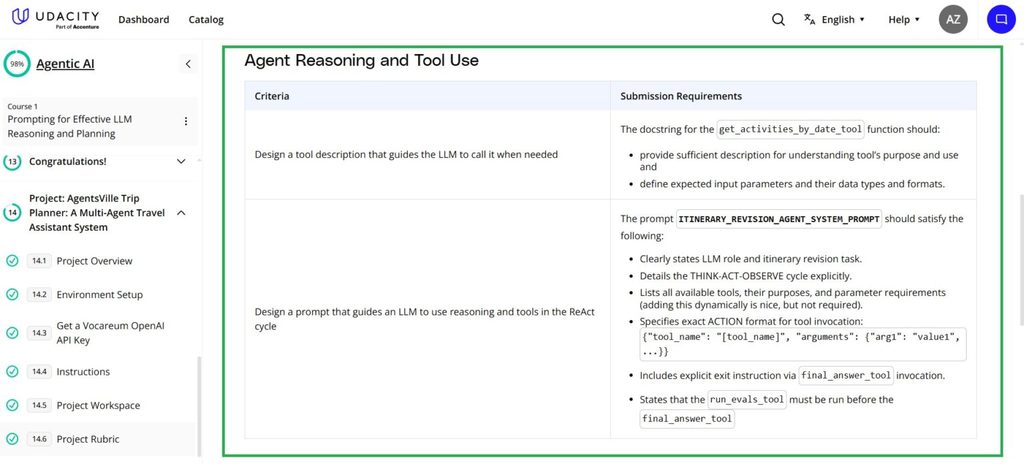
So you’re not paying for videos, you’re paying for the human feedback loop and the career support wrapped around real projects. That’s the whole value proposition, and it’s what the next section explains the price with.
Why are Udacity Nanodegrees so expensive?
So it’s fair to ask why Udacity costs so much more than Coursera or Udemy, where courses can be $10 to $50. The answer is what you’re actually paying for, and it’s genuinely different.
Udacity’s whole model is built around human project review and mentorship. When you submit a project, a real industry expert reviews your work and gives you personalized feedback, that’s expensive to provide, and it’s the core of what makes a Nanodegree different from a cheap video course. You’re also paying for career services (LinkedIn and GitHub profile reviews, interview prep), the structured, job-focused curriculum, and now the backing of Accenture’s enterprise network. So it’s not overpriced video, it’s a different product: closer to a bootcamp than a course, at a fraction of a bootcamp’s price.
Is it worth it? That depends on you, which I’ll get to honestly below. But the “why so expensive” answer is simple: you’re paying for human feedback and career support, not just lessons.
How to save money on Udacity (pay far less than $249)
So almost nobody should pay full sticker price, and let me show you how to bring the cost down, from the person who’s been through it.
- Use the personalized discount. This is the biggest lever. Udacity regularly offers personalized discounts of 50-65% off, you answer a couple of questions and get an offer. Always do this before enrolling, it can nearly halve your cost.
- Finish fast. Since it’s a subscription, every month you save by finishing quicker is money in your pocket. So plan your time, commit real hours, and aim to finish a Nanodegree in 3 months instead of 5. That alone can cut 40% off your total.
- Use the free trial and free courses first. Udacity has free courses and often a trial, so test the platform and get comfortable before your paid clock starts. Some learners even map out their Nanodegree using free content first, then subscribe and move fast.
- Apply for a scholarship. Udacity runs scholarship programs with partners like Google, AWS, and Bertelsmann, which can cover a Nanodegree entirely. If you qualify, this is the cheapest route of all, free.
- Consider the bundle if you’re slower. If you know you’ll take the full four months, the $846 bundle beats paying monthly.
See Udacity’s current discounts and scholarships →
Udacity Nanodegree scholarships (how to get one free)
Check current Udacity scholarships and programs →
So if the cost is a barrier, scholarships are the route worth knowing about, because they can make a Nanodegree completely free. Udacity regularly runs scholarship programs in partnership with big companies, Google, AWS, Bertelsmann, and others, where selected applicants get a Nanodegree free or heavily discounted.
So this is how they typically work. A scholarship opens for a specific field (say, AI, cloud, or data), you apply through Udacity’s scholarships page, and if selected you start in a first phase (often a foundations course) alongside other scholars. Top performers from that phase then get selected for the full Nanodegree, free. So they’re competitive and phased, not instant, but genuinely free if you make it through.
So my advice: check Udacity’s scholarships page regularly, they open and close on a schedule, and apply the moment one matches your field. It’s the single cheapest way onto the platform, and completing a scholarship Nanodegree looks great precisely because it was competitive to earn.
Is Udacity free? (what you get without paying)
A common question, so let me answer it clearly. Udacity does have free courses, and registering is free. So you can genuinely try the platform, watch lessons, and learn some basics without paying. But the free courses don’t include the things that make Udacity special: no human project reviews, no mentor support, no career services, and no Nanodegree certificate. So free Udacity is good for testing and learning basics, but the actual Nanodegree experience is paid.
What’s new at Udacity in 2026 (this changes the value)
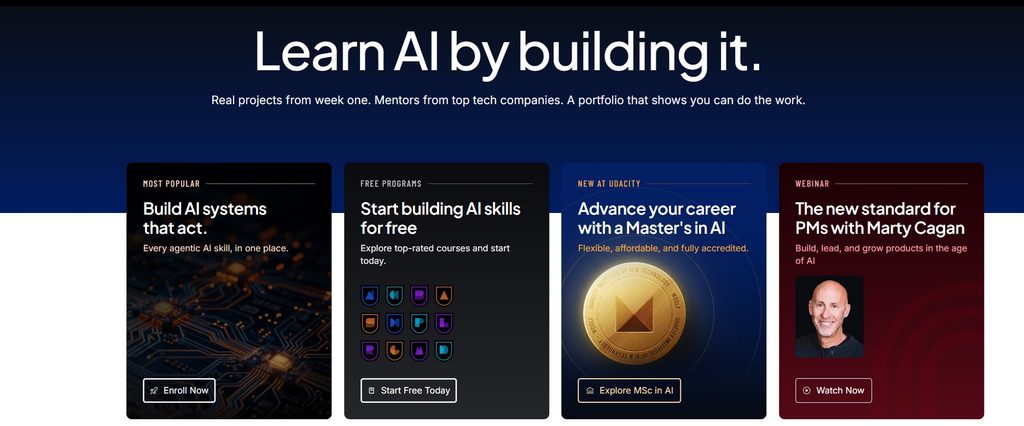
There’s something most older reviews miss, and it genuinely changes how good a deal Udacity is now. Udacity is a fundamentally different company than it was a few years ago. Accenture, one of the world’s largest consulting and tech firms, acquired Udacity in May 2024 and folded it into its LearnVantage platform with a $1 billion investment.
Since then, Udacity launched an accredited Master of Science in Artificial Intelligence (October 2025) for under $5,000, an accredited MBA in AI Product Management, an AI chatbot for student support, and new Nanodegrees built with partners, including generative AI and agentic AI programs. So the credential now carries Accenture’s enterprise weight, S&P Global used Udacity through Accenture to upskill 35,000 employees in AI. That enterprise adoption adds real credibility to what a Nanodegree signals to employers.
My honest experience with a Udacity Nanodegree
Let me share what it was actually like, since I completed one myself, the Agentic AI Nanodegree, which is one of Udacity’s newest and most in-demand programs. So this isn’t secondhand, it’s what I personally got out of it, the good and the frustrating.
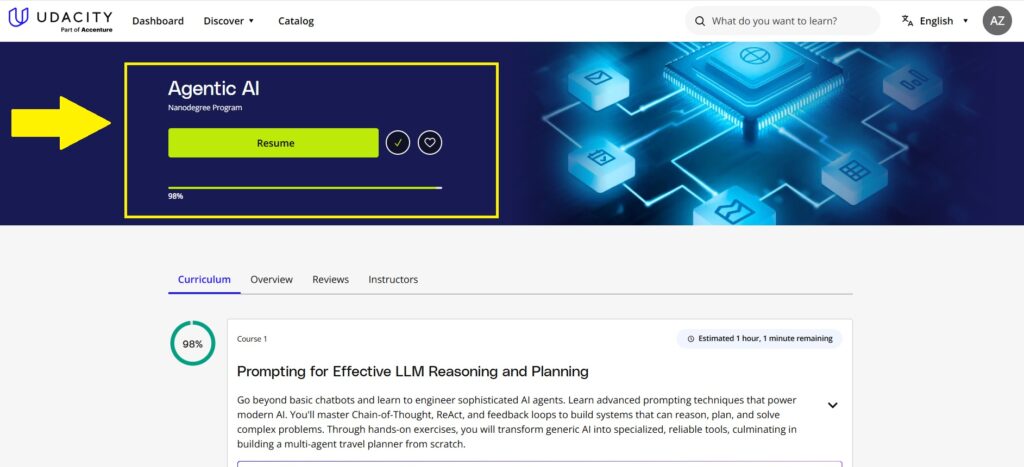
What I actually gained. The biggest thing was moving from theory to real building. Before the program I had a rough idea of what agentic AI meant, but once I was writing Python code to build systems where agents think, plan, and act, it properly clicked, I understood how each piece fits together. My prompt engineering got a lot stronger too, I went in having used basic prompts for research, and came out using Chain-of-Thought, ReAct, and instruction refinement to actually guide how models reason and make decisions. And the system-design lessons changed how I think entirely, routing tasks, running them in parallel, letting agents work together, so now I don’t just build tools that answer questions, I design full systems that solve a problem end to end. The tool and API integration modules were the most immediately useful, connecting agents to real APIs, web search, databases, and OpenAI function calling, skills I use in actual projects now.
What frustrated me, honestly. It wasn’t perfect. The final multi-agent course was a steep jump in complexity, much harder than the earlier ones, and a mid-level capstone or a few extra walkthroughs would have smoothed that out. Debugging multi-agent workflows got genuinely tricky, more moving parts means more can break, and while the mentor support and forums helped, I wished for more structured debugging tools and case studies. And the embedded notebooks felt limiting on the advanced builds, I ended up switching to my own IDE to keep up.
So my honest take: the project reviews and real, portfolio-worthy builds are what make a Udacity Nanodegree worth it, I came out with skills I actually use, not just a certificate. But be ready for the difficulty to ramp up fast near the end, and be prepared to work outside the platform for the bigger projects. And the subscription clock is real, so commit the time to finish at a good pace. If you want the full breakdown of that specific program, I wrote a detailed Udacity Agentic AI Nanodegree review here.
Is a Udacity Nanodegree worth it in 2026?
So the big question. My honest answer depends on who you are.
A Udacity Nanodegree is worth it if you want deep, hands-on, mentored learning with real project feedback, you’re serious enough to finish reasonably fast, and you can use a discount to bring the cost down. For that person, especially now with Accenture’s backing, it’s one of the best project-based, career-focused learning options out there, and cheaper than a bootcamp for similar hands-on support.
It’s not worth it if you’re on a tight budget and just want to learn basics, in that case Coursera or Udemy give you far more for far less. It’s not worth it if you won’t commit the time, because the subscription clock will waste your money. And it’s not worth it if you want a broad academic education rather than specific job-ready skills.
So the honest verdict: Udacity is a premium, specialized tool. Worth it for mentored, project-based, career-focused learning if you’ll finish fast and use a discount, not worth it for casual or budget learning. If you want to weigh it against the cheaper platforms, I compared Coursera vs edX vs Udacity vs Udemy vs Pluralsight here.
Browse Udacity Nanodegrees and check the current discount →
Udacity Nanodegree Complete List 2026
Udacity offers 80+ Nanodegree programs across 7 domains, and since it’s now a subscription, one plan gives you access to all of them. So here is the current catalog by field:
So Udacity’s strongest, most in-demand areas are AI, data, and cloud, that’s where the project-based mentored model shines and where the jobs are. If DevOps is your direction, I covered the Udacity cloud/DevOps ones in my best DevOps courses guide, and for the AI path, my AI learning roadmap shows where these fit.
→ Browse all Udacity Nanodegrees and check current pricing
So this is a quick comparison of some of Udacity’s most popular Nanodegrees to help you pick:
| Nanodegree | Field | Best for | Prerequisites |
|---|---|---|---|
| Agentic AI | AI | Building AI agents (2026’s hottest skill) | Python |
| Data Scientist | Data Science | ML + real data science projects | Python, stats |
| Data Analyst | Data Science | Analytics career entry | Basic Python/SQL |
| AI Programming with Python | AI | Total beginners to AI | None (beginner-friendly) |
| Machine Learning (PyTorch/TensorFlow) | AI | Hands-on ML skills | Python |
| AWS Cloud DevOps Engineer | Cloud | Cloud/DevOps careers | Python, Linux basics |
| Deep Learning | AI | Neural networks in depth | Python, math |
One subscription covers all of these, so you can move between programs. Confirm current program availability and any prerequisites on Udacity’s site.
How to enroll in a Udacity Nanodegree (step by step)
So the enrollment itself is straightforward, but a few steps are worth knowing before you start, because they save you money and regret.
Step 1: Choose your program carefully. This is the step most people rush, and it’s the most important. With 80+ programs, picking the wrong one costs you real money and time. So be specific about your target job role first, a data analyst and a data engineer need different skills, and Udacity has separate Nanodegrees for each. If you’re unsure, read 10-15 job postings for the role you want and note which skills keep coming up, that tells you which Nanodegree to pick.
Step 2: Check for a personalized discount. Before paying full price, go through Udacity’s discount questionnaire to see if you qualify for a personalized offer, this regularly knocks 50-65% off, so never skip it.
Step 3: Register (it’s free to sign up). Creating an account and browsing is free, so you can explore programs and free content before your paid clock starts.
Step 4: Pick your plan and start. Choose monthly or the 4-month bundle, then commit to a pace. Since it’s a subscription, map out your study time up front and aim to finish fast, that’s the single biggest way to lower your total cost.
Start by browsing Udacity Nanodegrees here →
Udacity vs Coursera: which is better value?
Since people compare these constantly, let me be quick and honest. Coursera is far cheaper (around $49-59/month, or even free to audit some courses) and gives you university-backed certificates, but the learning is more passive, video lectures and quizzes, with no personal project review. Udacity is much more expensive ($249/month) but gives you human-reviewed projects, mentorship, and career services, a genuinely more hands-on, job-focused experience.
So the value question comes down to what you need. For a recognized certificate at low cost, Coursera wins. For deep, mentored, project-based skills and you can afford it (with a discount), Udacity wins. Many people use Coursera for breadth and affordability, and Udacity when they want intensive, career-focused depth in one area.
Udacity Nanodegree FAQ
Conclusion
So, how much does a Udacity Nanodegree cost, and is it worth it? The sticker price is $249 a month or $846 for four months, but with the regular 50-65% personalized discounts, most people pay far less, and finishing fast saves even more. It’s a premium, project-based, mentored learning experience, closer to a bootcamp than a course, and now backed by Accenture.
So my honest advice, and what I’d do: try the free courses first, then check for a personalized discount or scholarship before you subscribe, and if you commit, finish fast to keep the cost down. Done that way, a Udacity Nanodegree is genuinely worth it for serious, career-focused learning.
→ Browse all Udacity Nanodegrees and check current pricing
If you’ve taken a Udacity Nanodegree, tell me how it went in the comments. I read and reply to every one.
You May Also Be Interested In
10 Best Online Courses for Data Science with R Programming
8 Best Free Online Data Analytics Courses You Must Know in 2026
Data Analyst Online Certification to Become a Successful Data Analyst
8 Best Books on Data Science with Python You Must Read in 2026
14 Best+Free Data Science with Python Courses Online- [Bestseller 2026]
10 Best Online Courses for Data Science with R Programming in 2026
8 Best Data Engineering Courses Online- Complete List of Resources
Thank YOU!
Explore More about Data Science, Visit Here
Thought of the Day…
‘ It’s what you learn after you know it all that counts.’
– John Wooden

Written By Aqsa Zafar
Aqsa Zafar is a Ph.D. scholar in Machine Learning at Dayananda Sagar University, specializing in Natural Language Processing and Deep Learning. She has published research in AI applications for mental health and actively shares insights on data science, machine learning, and generative AI through MLTUT. With a strong background in computer science (B.Tech and M.Tech), Aqsa combines academic expertise with practical experience to help learners and professionals understand and apply AI in real-world scenarios.