
Do you want to know, “How is Udacity Data Analyst Nanodegree?“… If yes, then this article will clear your doubts. I did this program, so this review will walk you through what I learned, the projects I built, what I liked, what annoyed me, the cost, and who should and shouldn’t enroll.
One thing first, so you don’t waste your money. This is not a beginner program. It expects you to already know Python (pandas and NumPy) and some SQL before you start. If you have that, the Nanodegree is worth your time. If you don’t, I’ll point you to better starting places at the end.
Quick Answer: Is It Worth It?
Yes, if you already know Python and SQL. The program is built around real, reviewed projects, the mentor support is genuine, and you walk out with a portfolio. It’s not for complete beginners. Build the foundations first.
→ Check the current curriculum, projects, and price on Udacity
Now without any further ado, let’s start the Udacity Data Analyst Nanodegree Review.
How is Udacity Data Analyst Nanodegree?
- Quick Answer: Is It Worth It?
- Why Data Analysis Is a Smart Skill to Learn in 2026
- How Were the Content and Projects?
- Course 1: Introduction to Data Analysis with Pandas and NumPy (14 hours)
- Project- Investigate a Dataset
- Course 2. Advanced Data Wrangling (15 hours)
- Project: Real World Data Wrangling with Python.
- Course 3. Data Visualization with Matplotlib and Seaborn (15 hours)a Wrangling
- Project: Communicate Data Findings.
- What Changed Since I Took It
- How Much Does the Udacity Data Analyst Nanodegree Cost?
- Who Should Enroll? (The Prerequisites Are Real)
- Were the Instructors Experienced?
- What I Liked About the Program
- What I Didn't Like
- What Other Learners Say
- My Honest Take Before You Enroll
- Is the Udacity Data Analyst Nanodegree Worth It?
- My Verdict: Worth It With Prerequisites and a Discount
- Better Alternatives for Beginners
- Udacity Data Analyst Nanodegree vs Google Data Analytics Certificate
- Conclusion
- Ready to Decide?
- FAQ
Why Data Analysis Is a Smart Skill to Learn in 2026
Quick bit of career context before the review, because it decides whether this Nanodegree even makes sense for you.
Data analysis is one of the most reachable high-paying tech careers, mostly because you can get in without a computer science degree. The average data analyst in the US earns around $88,000 to $93,000 a year per Glassdoor’s June 2026 data, pulled from nearly 22,000 salary reports. Experienced analysts reach $120,000 to $154,000. Entry-level usually starts somewhere between $63,000 and $86,000. And the field is growing about 23% through 2033, much faster than most jobs, according to US Bureau of Labor Statistics and 365 Data Science job-outlook data. Entry-level pay has gone up roughly $20,000 since 2024.
So what actually moves you up the pay scale? SQL, Python, statistics, and being able to explain your findings to people who aren’t technical. That last one matters way more than beginners expect. And it’s one of the things this Nanodegree teaches through its projects, not just its lectures.
One honest point, and I repeat it later too. A Nanodegree on its own won’t get you a job. What it gives you is the skills plus a portfolio you can show. The job comes from that portfolio and from what you keep building after you finish.
How Were the Content and Projects?
The thing that stood out to me about this Nanodegree is how project-driven it is. You learn the concepts, then you build a project to prove you actually got it. Most online courses stop at the theory. This one made me apply everything, and that’s why it stuck.
Udacity also gave me a mentor. I hadn’t seen that on any other platform. Whenever I got stuck, the mentor walked me through it. That feature alone is a big reason I rate the program as high as I do.
Now, one heads up before you read further. Udacity updated this Nanodegree since I first took it, so the structure today is a little different from older reviews floating around online. Right now it’s 5 courses, 17 lessons, and 3 hands-on projects. Two of those five courses are short welcome and graduation modules, so really there are three teaching courses. You can finish in about four months at 10 hours a week. And it now carries credit toward an accredited MSc in AI through Udacity’s degree pathway. Let me show you what each course is like.
Course 1: Introduction to Data Analysis with Pandas and NumPy (14 hours)
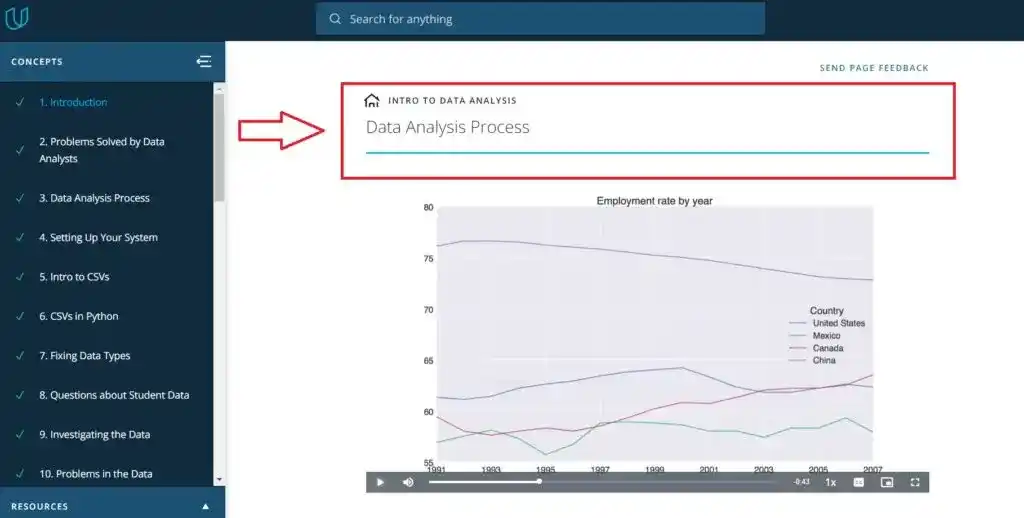
This is the opening course. It walks through the whole data analysis process: asking questions, wrangling, exploring, analyzing, and communicating. It starts you off in Jupyter Notebook and teaches the two Python libraries that data analysis runs on, pandas and NumPy.
You do need Python to follow this. I already knew it, so this part felt easy. If you don’t know Python, learn it first. There’s a lot of free material on YouTube to get you ready. The course covers loading and inspecting data with pandas, cleaning and reshaping it, fixing data issues, and then drawing conclusions and showing them with basic visualizations.
Project- Investigate a Dataset
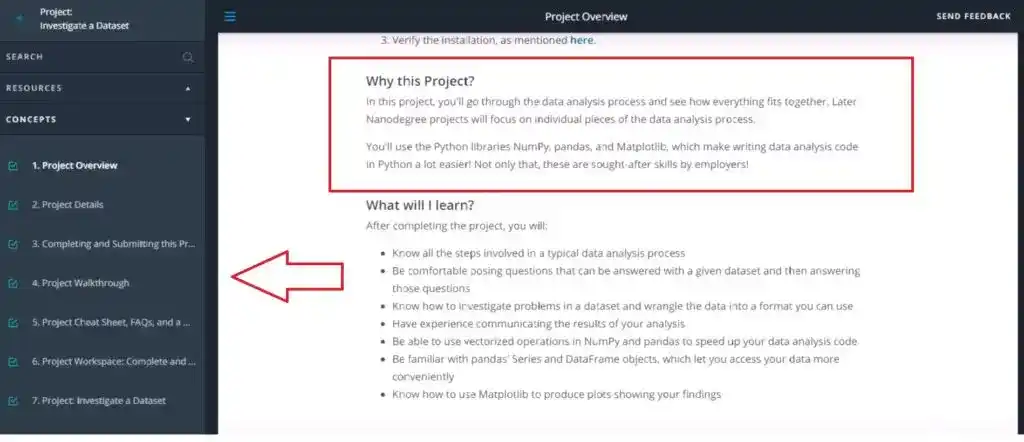
You pick one of Udacity’s curated datasets, dig into it, and share what you found using NumPy, pandas, and Matplotlib. You go through the full process, from asking questions about the data to presenting answers backed by your analysis. A Udacity reviewer checks your work, approves it, and gives feedback. That review step was one of the most useful parts of the whole program for me.
Course 2. Advanced Data Wrangling (15 hours)
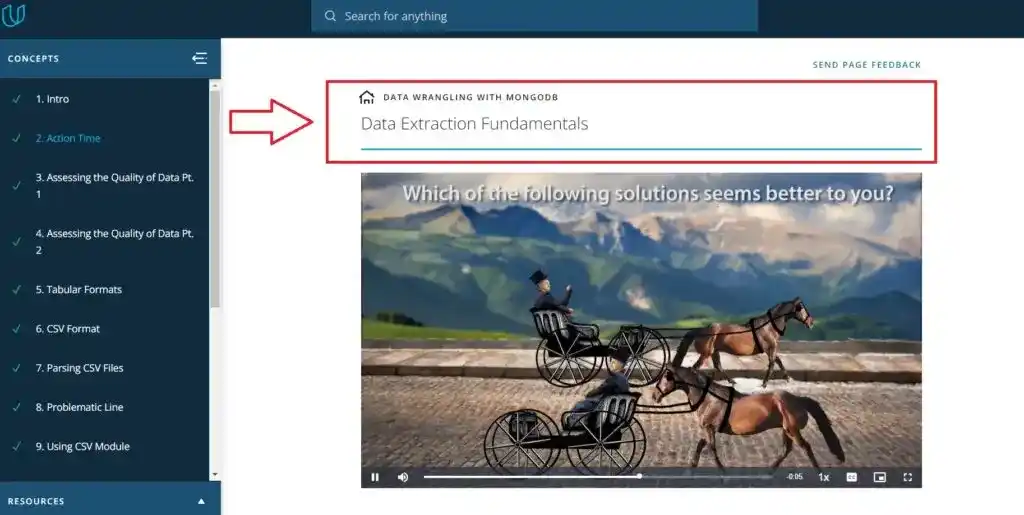
This course covers the part of data analysis you actually spend most of your time on. Data wrangling. It’s the set of steps that turn raw, messy data into a clean format you can answer questions with. The course teaches the three phases: gathering, assessing, and cleaning.
This was my favorite part, and for a personal reason. At the time I was working on my research project, “Depression Detection using Social Media Data.” The data I’d collected was a mess. This course gave me a clear plan for what to do with it. You learn to gather data from different sources and formats, spot quality and structure problems through visual and programmatic checks, then clean it and test that your fixes worked. By the end I knew exactly how to handle my own research data. I owe the Udacity instructors for that one.
Project: Real World Data Wrangling with Python.
You gather, assess, and clean multiple real-world datasets of your choice, running the full wrangling workflow start to finish. This is the most resume-worthy project in the program. Why? Because wrangling is what analysts do all day, and showing you can do it on real messy data is exactly what employers want to see.
Course 3. Data Visualization with Matplotlib and Seaborn (15 hours)a Wrangling
The last teaching course covers visualization. This is how you actually communicate what your analysis found. It teaches design principles first, including the common mistakes that make a chart fail, then moves through univariate, bivariate, and multivariate exploration using both Matplotlib and Seaborn.
The instructor was clear and kept it simple. I learned how to build and read charts of single variables, relationships between two variables, and interactions between three or more. The course also covers explanatory visualizations, which means polishing your plots so they actually convey your findings to other people. That’s the skill that separates a report nobody reads from one that changes a decision.
Project: Communicate Data Findings.
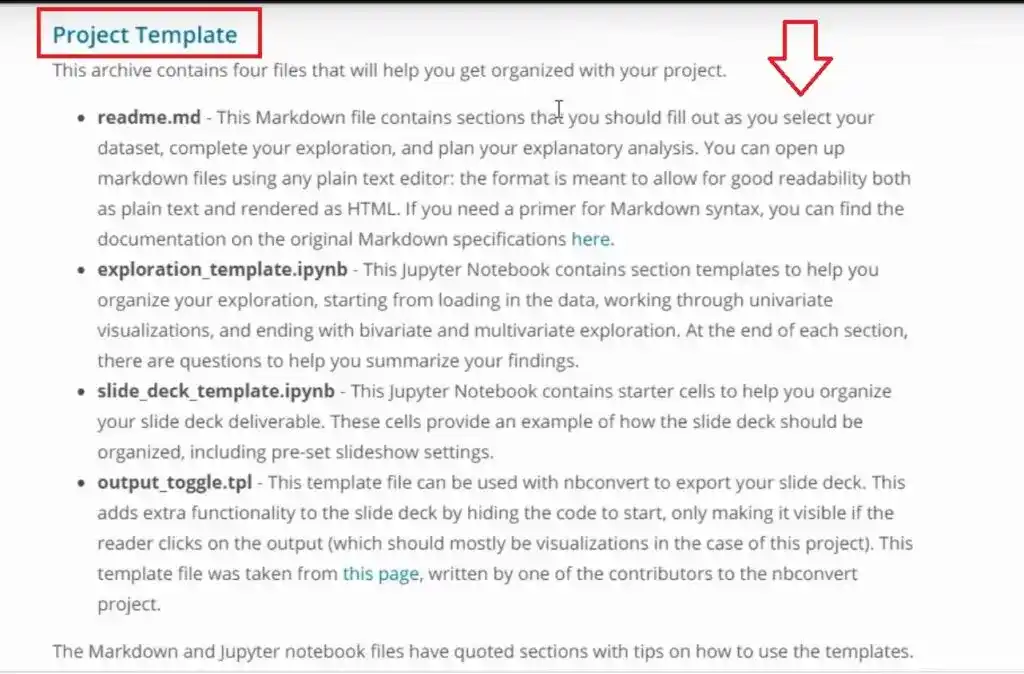
This final project has two parts. First, an exploratory data analysis on a dataset of your choice using Python visualization libraries. Second, a polished presentation with explanatory plots that walks through the trends and relationships you found. One tip. Read the project rubric carefully before you start. It tells you exactly what the reviewer wants.
→ Learn data visualization and storytelling, view the course
If I judge this Nanodegree purely on its projects and content, it’s worth it. The projects are practical, they build a real portfolio, and the reviewer feedback after each one is something you just don’t get from a passive video course. The program repeats the full analysis process across all three projects while adding harder techniques each time, like data imputation to fill in missing values and proper encodings for visualizations. So the skills stack up as you go.
What Changed Since I Took It
When I first did this Nanodegree, it had a separate Practical Statistics course and a couple of extra projects. One was an A/B test analysis, which I had to resubmit twice before it passed. Another was a weather trends project that pulled data with SQL. That A/B test was the hardest thing in the program for me, since my background isn’t statistics and I had to watch the material twice to get through it.
Udacity has since tightened the program into three focused teaching courses built around wrangling and visualization. Statistics is now woven into the analysis work instead of being its own heavy course. The current version is more compact and more applied. But whichever version you take, the core strength is the same. You learn by building real projects that a human actually reviews.
How Much Does the Udacity Data Analyst Nanodegree Cost?
Udacity estimates four months at 10 hours a week, about 43 hours of content total. It runs on a subscription, around $249 a month for the All Access plan, with roughly 20% off the annual option (about $2,390 a year when I enrolled). Pricing changes often, so check the current rate before you commit.
Because billing is monthly, finishing faster directly lowers what you pay. If you push to around three hours a day instead of 1.5, you can finish in about two months and cut the cost. The Pomodoro technique helped me stay focused. And one trick saved me real time. Read each project’s rubric before you start the lessons. Then you know which parts matter most and can take notes as you watch, instead of rewatching videos later.
Udacity also runs frequent discounts, often 40% or more, plus occasional scholarships. Given how expensive this program is next to other platforms, I’d wait for a discount or apply for a scholarship before paying full price. That’s what I did.
Who Should Enroll? (The Prerequisites Are Real)
This is an intermediate program, and Udacity lists actual prerequisites. Going in without them wastes your money, so let me be direct.
Before you enroll, you should have basic Python, basic SQL, some inferential statistics, file input/output, and elementary algebra. In plain words: you should be comfortable working with data in Python (pandas and NumPy), able to pull data with SQL, and not totally new to statistics. If you have that, you’re ready. If you’re a beginner in Python or SQL, learn those first and come back. Udacity does give you some Python and SQL tutorials inside the program, but treat them as a refresher, not a replacement for real foundations.
One more thing worth a mention. The program is now eligible for credit toward an accredited MSc in AI through Udacity’s degree pathway. So if you might go for that later, the work here can count toward it.
Were the Instructors Experienced?
The instructor lineup is a real strength. When I took the program it included Josh Bernhard (Data Scientist at NerdWallet), Sebastian Thrun (founder of Udacity and Google X), Derek Steer (CEO of Mode Analytics), Juno Lee (Data Scientist), Mike Yi, David Venturi, and Sam Nelson (Product Lead for Udacity’s Data Analyst program).
The current version has added newer content developers like Josh Magee, Ria Cheruvu, and Matt Maybeno. Learning from people who actually work in the field, instead of career instructors, is a big part of why I keep coming back to Udacity.
What I Liked About the Program
- The statistics concepts were woven into the actual analysis work, not left as abstract theory.
- The wrangling and visualization ideas got clear through projects and quizzes, not just lectures.
- The technical mentor support was the standout for me, since I hadn’t found that anywhere else, and the mentor really helped whenever I got stuck.
- The program is built around hands-on projects, not passive watching. After each project a reviewer gave me personal feedback, which is rare and valuable. It doesn’t spoon-feed either, since you pick your own datasets and work through the projects yourself, which is closer to real work.
- There’s a Stack Overflow-style Q&A forum for when you’re stuck. And Udacity even gives Python and SQL tutorials for people who need to shore up the basics.
What I Didn’t Like
- It’s expensive compared to courses on other platforms. That’s the main drawback.
- The program also skips big data entirely, which felt like a gap to me.
- And Udacity still has no iOS or Android app, so studying on a phone is awkward.
- One more thing, from reading other learners’ experiences. A few people note the program leans toward the business and analysis side and goes lighter on deep statistics and heavy coding. So if you want deep theory, know that going in.
What Other Learners Say
Before spending this kind of money, it helps to hear more than one voice. So this is what I’ve seen from other learners.
The positive reviews tend to praise the same things I did. The project structure, the reviewer feedback, and how well the lessons are ordered. One learner who came from a sales background wrote that moving into analytics felt doable because of the support and guidance from the Udacity team. Another, who had little programming experience before starting, said it was strong preparation for a master’s in analytics, though they were clear it took real persistence to finish.
The criticism is worth hearing too. Some learners feel the mentor interaction, usually once a week, is too thin. A few have warned about getting charged after they meant to cancel, so keep an eye on your billing if you stop. And as one reviewer put it bluntly, no Nanodegree or bootcamp or certificate alone breaks you into the field. You still have to build beyond it. That matches my own take below.
My Honest Take Before You Enroll
A lot of people think finishing this Nanodegree means walking straight into a data analyst job. It doesn’t work that way, and I’d rather tell you now. The program teaches you real analysis skills and gives you solid portfolio projects. But a few projects alone aren’t enough to win a competitive role.
So when you finish, keep going. Build more projects, work with public datasets, write up your findings on a blog or GitHub to show your storytelling. The Nanodegree hands you the skills and a starting portfolio. The job comes from what you build after it.
Is the Udacity Data Analyst Nanodegree Worth It?
Yes, for people who already know Python and SQL and want to push their data analysis skills further. The content is current, the projects build a portfolio that strengthens your resume, and the one-to-one mentorship helps when you’re stuck. It’s not worth it for complete beginners, and it won’t get you a job on its own.
My Verdict: Worth It With Prerequisites and a Discount
If you know Python and SQL and want real, reviewed projects plus mentor support, this Nanodegree is worth it, especially during a discount. If you’re a beginner, build your foundations first with one of the options below.
Better Alternatives for Beginners
If you’re a beginner, don’t start here. These are better starting points.
Google Data Analytics Professional Certificate (Coursera) is the one I recommend most for beginners. It teaches Tableau for visualization and is built for people with zero experience. The catch is it uses R instead of Python.
IBM Data Analyst Professional Certificate (Coursera) is the better pick if you want to learn with Python instead of R. It’s beginner-friendly and hands-on.
Programming for Data Science with Python (Udacity) is the natural foundation if you specifically want to prep for this Nanodegree.
For more options, see our guide to the best free machine learning and AI courses and our review of whether Coursera certificates are worth it.
Udacity Data Analyst Nanodegree vs Google Data Analytics Certificate
This is the comparison most people weighing this program actually care about. So this is how the two stack up.
| Features | Udacity Data Analyst Nanodegree | Google Data Analytics Certificate |
|---|---|---|
| Rating | 4.8/5 | 4.8/5 |
| Price | ~$249–$399/month | ~$49/month |
| Time to Complete | 4 months | ~6 months (10 hrs/week) |
| Programming Language | Python | R |
| Visualization Tool | Python (Matplotlib, Seaborn) | Tableau |
| Spreadsheets | Excel | Google Sheets |
| Number of Courses | 3 teaching courses (3 projects) | 8 |
| Instructors | Professionals from top companies | Google data professionals |
| Best For | Intermediate learners (Python + SQL) | Complete beginners |
The short version. If you’re a complete beginner, the Google certificate is cheaper, gentler, and carries strong name recognition, though it uses R and Tableau. If you already know Python and SQL and want rigorous, human-reviewed projects, the Udacity Nanodegree is the better fit despite the higher price. It comes down to your starting level and which tools you want to learn.
Conclusion
I hope this Udacity Data Analyst Nanodegree Review helped you and cleared your doubts regarding the Udacity Data Analyst Nanodegree program. If you have any doubts or questions, feel free to ask me in the comment section.
So, is the Udacity Data Analyst Nanodegree worth it in 2026? For the right person, yes. If you already know Python and basic SQL, the program pushes your analysis skills further through real, reviewed projects, gives you genuine mentor support, and builds a portfolio you can show employers. The price is high, and it won’t hand you a job. But if you have the prerequisites, treat it as a launch point, and keep building after, it delivers real, useful skills.
If you’re a beginner, start with one of the alternatives above and come back once you have the foundations.
I hope this review answers your question and helps you decide if the Nanodegree fits your skills, your goals, and your budget.
Ready to Decide?
You can explore the full curriculum, see all three projects, and check the latest pricing and discounts on Udacity’s official page.
All the Best!
FAQ
You May Also Be Interested In
Data Analyst Online Certification to Become a Successful Data Analyst
Google Data Analytics Certification vs IBM Data Analyst- Which is Better?
IBM Data Science vs IBM Data Analyst- Which One is Better for you?
8 Best Books on Data Science with Python You Must Read in 2026
14 Best+Free Data Science with Python Courses Online- [Bestseller 2026]
10 Best Online Courses for Machine Learning with Python in 2026
10 Best Online Courses for Data Science with R Programming in 2026
8 Best Data Engineering Courses Online- Complete List of Resources
Best Course on Statistics for Data Science to Master in Statistics
8 Best Tableau Courses Online– Find the Best One For You!
8 Best Online Courses on Big Data Analytics You Need to Know
Best SQL Online Course Certificate Programs for Data Science
7 Best SAS Certification Online Courses You Need to Know
Thank YOU!
Explore More about Data Science, Visit Here
Thought of the Day…
‘ It’s what you learn after you know it all that counts.’
– John Wooden

Written By Aqsa Zafar
Aqsa Zafar is a Ph.D. scholar in Machine Learning at Dayananda Sagar University, specializing in Natural Language Processing and Deep Learning. She has published research in AI applications for mental health and actively shares insights on data science, machine learning, and generative AI through MLTUT. With a strong background in computer science (B.Tech and M.Tech), Aqsa combines academic expertise with practical experience to help learners and professionals understand and apply AI in real-world scenarios.