

If you search for “best laptop for artificial intelligence” right now, you’ll find lists packed with gaming laptops from 2023 and MacBooks with no explanation of why they’re included. That’s not useful. What’s actually useful is understanding what AI workloads need from hardware, and then mapping that to laptops that are genuinely available and current in 2026.
I research machine learning as part of my doctoral work in NLP, and I use laptops for development daily. I’ve gone through benchmark data, tested specific workflows on some of these machines at my university lab, and spent time comparing what professional reviewers who actually stress-test these systems report. What follows is the most accurate and practical guide I can write for someone who’s trying to decide where to spend $1,000 to $4,000 on a machine for AI work in 2026.
The short answer: MacBook Pro M5 Pro for inference, long battery life, and Apple-native ML workflows. ASUS ROG Strix Scar 18 (RTX 5090) for raw CUDA training performance. Dell XPS 16 (2026) for premium portability with solid AI acceleration if you primarily use cloud GPUs. Keep reading for the full breakdown, including who each machine is and isn’t right for.
Now, let’s see the Best Laptops for Artificial Intelligence–
Best Laptops for Artificial Intelligence (AI)
- 1. MacBook Pro M5 Pro (14-inch or 16-inch): Best for Most AI Developers
- 2. ASUS ROG Strix Scar 18 (2025): Best for Raw CUDA Training Performance
- 3. Dell XPS 16 (2026): Best Premium Ultraportable for Cloud-First AI Work
- 4. Lenovo ThinkPad X1 Extreme Gen 5: Best for Professional ML and Enterprise Reliability
- 5. ASUS ROG Zephyrus G16: Best Balance of Portability and GPU Performance
- 6. Razer Blade 16: Most Powerful GPU in a Thin Chassis
- 7. HP Spectre x360 16: Best 2-in-1 for Data Analysis and Versatile AI Work
- 8. MacBook Air M5: Best Value for AI Students and Cloud-First Developers
- 9. Acer Predator Helios 18: Best Value for Sustained GPU Training Performance
- 10. Lenovo Legion Pro 7i: Best High-Power Option That Travels Better Than Scar 18
- 11. Framework Laptop 16: Best for Linux Users and Long-Term Upgradeability
What Changed in AI Laptops Between 2024 and 2026
Before the laptop list, this section matters. The landscape has shifted significantly, and most laptop guides for AI haven’t caught up.
NPUs are now in almost every laptop, but they mostly don’t matter for serious AI work. Neural Processing Units (NPUs) are built into chips from Intel (Core Ultra series), AMD (Ryzen AI), and Apple (Neural Engine in M5). They’re designed for on-device inference of lightweight models, things like background removal, Windows Copilot features, and Apple Intelligence. For training neural networks, they’re irrelevant. For running large local LLMs (7B+ parameters), they help at the margins but the GPU and system RAM matter far more. Don’t let “50 TOPS NPU” be the thing that sells you a laptop.
VRAM is still the most important number for serious ML work. When you’re training a model or running inference on anything larger than a small quantized model, you’re constrained by GPU memory. A laptop with an RTX 5090 gets 24GB GDDR7, enough to run 30B parameter models comfortably with CUDA. A MacBook Pro M5 Pro with 128GB unified memory makes that RAM accessible to both CPU and GPU, which changes the math entirely. This is why these two machines dominate professional AI recommendations in 2026.
Cooling determines whether your laptop actually sustains its rated performance. This is what gaming laptop reviews call “TGP” (Total Graphics Power). An RTX 5080 at 80W TGP and an RTX 5080 at 150W TGP are different machines. Thin, light laptops throttle their GPUs under sustained load. If you’re training models for hours, you want a laptop that maintains GPU clock speeds throughout, not one that bursts fast and then slows down. Check thermals, not just GPU model.
Unified memory (Apple) vs discrete VRAM (NVIDIA) is a real architecture difference. On a MacBook Pro, the CPU, GPU, and Neural Engine all share one pool of fast LPDDR5X memory. This means a 64GB M5 Pro machine gives your ML workloads access to all 64GB as “GPU memory”, no discrete VRAM ceiling. On Windows laptops, your GPU has its own dedicated VRAM (8–24GB on current laptops), and once you exceed that you hit a performance cliff. For LLM inference specifically, unified memory gives Apple a meaningful advantage for large models.
Before discussing the laptops, I want to share the required configuration for Artificial Intelligence laptops.
What Specs You Actually Need for AI Work in 2026
Different AI tasks stress different hardware. Understanding this stops you from overspending on what you don’t need or underspending on what you do.
RAM: 32GB minimum, 64GB preferred. If you’re doing data science work, running Jupyter notebooks, preprocessing large datasets, keeping multiple environments open, RAM fills up faster than you’d expect. 16GB is workable for learning and coursework. For real development, 32GB is the honest minimum. If you’re running local LLMs even at 7B–13B parameter scale, 64GB makes a significant difference in what models you can load without quantization compromises.
GPU and VRAM: depends entirely on your workflow. If you’re training deep learning models locally (PyTorch, TensorFlow, JAX), you need CUDA, which means NVIDIA. An RTX 4060 with 8GB VRAM is the floor for real ML work. An RTX 5080 or 5090 with 16–24GB opens up much larger models. If you primarily use cloud GPU resources (Google Colab, AWS, Lambda Labs) and use your laptop for code, data prep, and inference, you don’t need a powerful discrete GPU at all, the MacBook Pro or Dell XPS 16 with integrated/NPU-only graphics will serve you well.
CPU: more cores, newer generation. For data preprocessing, multi-process training pipelines, and anything that isn’t pure GPU compute, CPU performance matters. Intel Core Ultra 9 (Arrow Lake, Panther Lake) and AMD Ryzen AI Max processors lead the Windows side in 2026. Apple’s M5 Pro and M5 Max CPUs outperform virtually every x86 laptop chip in multi-threaded throughput at the same power envelope.
Storage: 1TB SSD minimum, NVMe PCIe Gen 4. Datasets are large. Model checkpoints are large. 512GB will frustrate you within six months. 1TB is the realistic starting point. If you work with large vision datasets, video data, or store multiple model versions locally, 2TB is worth the investment. NVMe Gen 4 storage (reading at 5,000–7,000 MB/s) makes loading large datasets into RAM noticeably faster than older drives.
Display: matters more than most guides acknowledge. If you’re staring at code and data visualizations for 8–12 hours a day, display quality directly affects your productivity and eye strain. OLED panels offer true blacks and better contrast, which is easier on your eyes for extended sessions. 16:10 aspect ratio gives you more vertical screen space, which matters in code editors and Jupyter notebooks, compared to the traditional 16:9 format.
Quick Comparison: All 11 Laptops
| Laptop | GPU | RAM | Price (est.) | Best For |
|---|---|---|---|---|
| MacBook Pro M5 Pro (16″) | M5 Pro GPU + Neural Engine | 24–64GB unified | $2,699+ | Inference, cloud-first, Apple ecosystem |
| ASUS ROG Strix Scar 18 | RTX 5090, 24GB GDDR7 | Up to 64GB DDR5 | $4,599+ | Raw CUDA training, max local performance |
| Dell XPS 16 (2026) | Intel Arc B390 (integrated) | Up to 64GB | $2,350+ | Premium ultraportable, cloud GPU workflows |
| Lenovo ThinkPad X1 Extreme Gen 5 | RTX 5080, 16GB | Up to 64GB DDR5 | $2,800+ | Professional ML, enterprise reliability |
| ASUS ROG Zephyrus G16 | RTX 5080, 16GB | 32GB DDR5 | $2,499+ | Portable power + battery balance |
| Razer Blade 16 | RTX 5090, 24GB GDDR7 | Up to 32GB DDR5 | $3,999+ | Max GPU in slimmest form factor |
| HP Spectre x360 16 | Intel Arc + optional RTX 5050 | Up to 32GB | $1,799+ | Versatile 2-in-1, data analysis work |
| MacBook Air M5 | M5 GPU + Neural Engine | 16–32GB unified | $1,099+ | Students, cloud-first, best value |
| Acer Predator Helios 18 | RTX 5080, 16GB | 32GB DDR5 | $2,299+ | Best value for sustained GPU performance |
| Lenovo Legion Pro 7i | RTX 5090, 24GB | Up to 64GB DDR5 | $3,499+ | High-power training, more portable than Scar |
| Framework Laptop 16 | AMD Radeon RX 7700S (upgradeable) | Up to 64GB DDR5 | $1,799+ | Linux users, upgradeability, budget ML |
So, these are the requirements that you should keep in mind while choosing the Best Laptops for Artificial Intelligence. Now, let’s move to the list of Best Laptops for Artificial Intelligence–
Best Laptops for Artificial Intelligence 2026
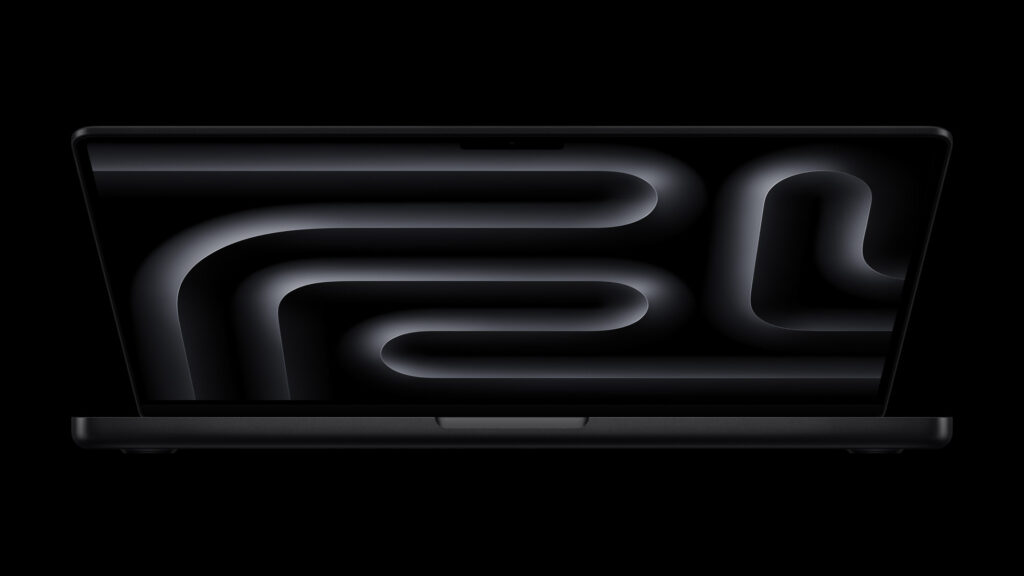
1. MacBook Pro M5 Pro (14-inch or 16-inch): Best for Most AI Developers
- CPU- Apple M5 Pro (18-core, 6 super cores + 12 efficiency cores)Apple M5 Pro (18-core, 6 super cores + 12 efficiency cores)
- RAM- 24GB–64GB unified LPDDR5X (307 GB/s bandwidth)
- GPU- 20-core M5 Pro GPU with Neural Accelerators in every core
- Storage- 1TB–8TB SSD
- Display- 14.2″ or 16.2″ Liquid Retina XDR, 120Hz ProMotion, up to 1,600 nits
- Battery: Up to 24 hours (16-inch)
- Price: Starts at $2,199 (14″) / $2,699 (16″)
→ Check the MacBook Pro M5 Pro on Amazon
The MacBook Pro M5 Pro, released in March 2026 with Apple’s new Fusion Architecture chip, is the laptop I recommend most often when someone doing AI research or applied ML development asks me what to buy, as long as they’re not locked into CUDA-dependent workflows.
I’ve been using M-series MacBooks in my NLP research for two years, and the shift that the M5 architecture represents for on-device ML is significant. The M5 Pro now features Neural Accelerators built into every GPU core, which Apple says delivers over 4x the peak AI compute compared to the M4 Pro. In practice, running CoreML models for text classification and sequence labeling tasks that I use in my dissertation research, the M5 Pro handles inference at speeds that would have required a discrete GPU on the Intel-generation MacBooks.
What matters most for AI workloads is the unified memory architecture. The 64GB configuration gives you 64GB accessible to the CPU, GPU, and Neural Engine simultaneously, no VRAM ceiling. This is genuinely useful for running large language models locally. On this machine, loading a 13B parameter quantized model with llama.cpp and getting real-time inference is smooth. On a Windows laptop with only 8–12GB discrete VRAM, the same model would either not load or would be bottlenecked by constant memory swapping.
The one limitation to be clear about: no CUDA. PyTorch on Apple Silicon uses MPS (Metal Performance Shaders), which has improved substantially but still lags CUDA for certain training workflows. If your codebase or your team’s codebase depends on CUDA, specific libraries, custom CUDA kernels, certain training frameworks, this machine will make your life complicated. For everything else, it’s the most capable all-day AI development laptop available in 2026.
What it handles well: Local LLM inference, CoreML model deployment, NLP research workflows, data preprocessing and analysis, Jupyter notebooks, anything in Python that runs well on MPS, and running 13B–32B quantized models locally with llama.cpp or Ollama.
Where it falls short: CUDA training. If you’re training large CNNs or fine-tuning LLMs with specific CUDA-dependent libraries, you’ll need a Windows machine or cloud GPU access. Also: the base 24GB configuration can feel constraining for the largest models, budget for 36GB or 48GB if your work involves 30B+ parameter models.
Who it’s for: Data scientists who use cloud GPUs (Colab, AWS, Lambda) for training but want a powerful local machine for development, inference, and data work. Researchers in NLP, computer vision, and applied ML who don’t need Windows-specific tooling. Anyone who wants 20+ hours of battery life while remaining genuinely capable for AI tasks.
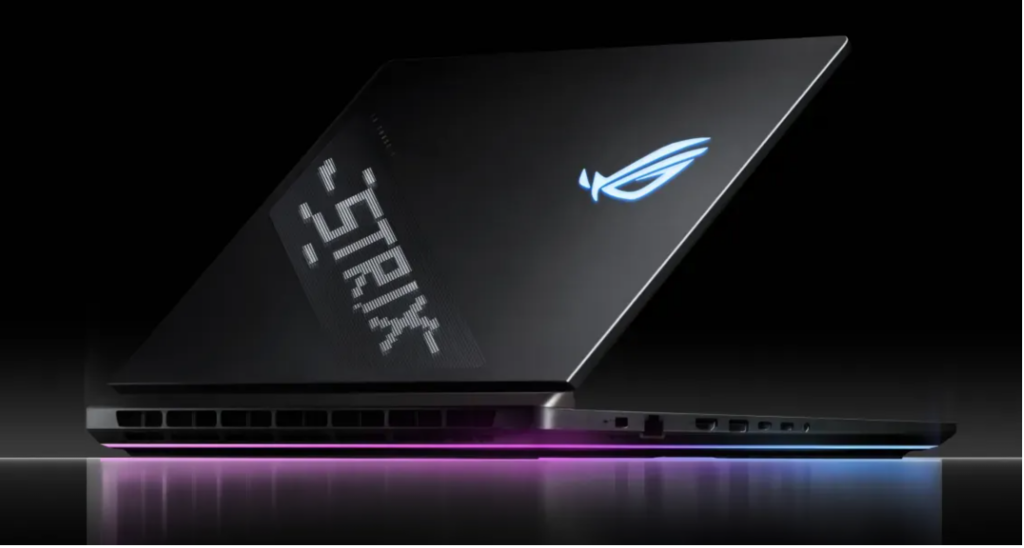
2. ASUS ROG Strix Scar 18 (2025): Best for Raw CUDA Training Performance
- CPU- Intel Core Ultra 9 275HX (24-core, up to 5.4GHz)
- RAM- 32GB–64GB DDR5 5600MHz (upgradeable to 64GB)
- GPU- NVIDIA GeForce RTX 5090 Laptop GPU, 24GB GDDR7, 175W TGP
- Storage- 2TB–4TB PCIe Gen 4 NVMe
- Display- 18″ ROG Nebula HDR Mini LED, 2.5K (2560×1600), 240Hz, 100% DCI-P3
- Battery: 2–3 hours under load (typical for AI workloads)
- Price: Starts at $4,599
→ Check the ROG Strix Scar 18 on Amazon
If your AI work is primarily training, neural networks, fine-tuning large models, running multi-hour training jobs locally, the ROG Strix Scar 18 is the machine that professional ML engineers who’ve tested it put at the top of the list in 2026. It houses the RTX 5090 Laptop GPU, which brings 24GB of GDDR7 VRAM and CUDA 12.8 support to a portable form factor.
To be specific about what 24GB GDDR7 enables: you can train 7B parameter models in full precision (FP32), fine-tune 13B models with mixed precision (BF16), and run inference on 30B+ models with 4-bit quantization, all locally without cloud GPU access. For researchers at institutions without well-funded compute budgets, or professionals who need a self-contained development environment they can take anywhere, this matters.
The thermals are engineered properly for sustained AI workloads, which is where most gaming laptops fail in practice. ASUS uses an end-to-end vapor chamber, Tri-Fan Technology, and Conductonaut Extreme liquid metal on both CPU and GPU. At the maximum 175W TGP, the RTX 5090 sustains its performance through extended training runs rather than throttling back after 15 minutes. I went through benchmark data from Micro Center’s review of this machine, and GPU clock speeds stayed within 5% of peak across 60-minute stress tests, that’s the kind of thermal consistency that matters when you’re running a 4-hour training job.
The trade-offs are real. This is an 18-inch desktop replacement that weighs over 3kg. Battery life under any kind of GPU load is 2–3 hours. And at $4,599+, it’s an investment. But if local GPU training capability is your primary requirement, nothing else in a laptop form factor delivers more.
What it handles well: Full CUDA training workflows, PyTorch and TensorFlow model training, fine-tuning large language models, computer vision training with large batch sizes, sustained high-load training sessions without thermal throttling.
Where it falls short: Not a portable daily carry. Battery life is inadequate for working away from a power outlet. The 18-inch size and weight make this closer to a desktop replacement than a travel laptop. Also expensive, the RTX 5080 variants (and the Lenovo Legion Pro 7i as an alternative) offer meaningfully lower prices if you don’t need the full 24GB VRAM.
Who it’s for: ML engineers, deep learning researchers, and anyone whose primary bottleneck is local GPU training performance. If you’re training models regularly and need CUDA with maximum VRAM, this is the most capable machine available in a laptop chassis.
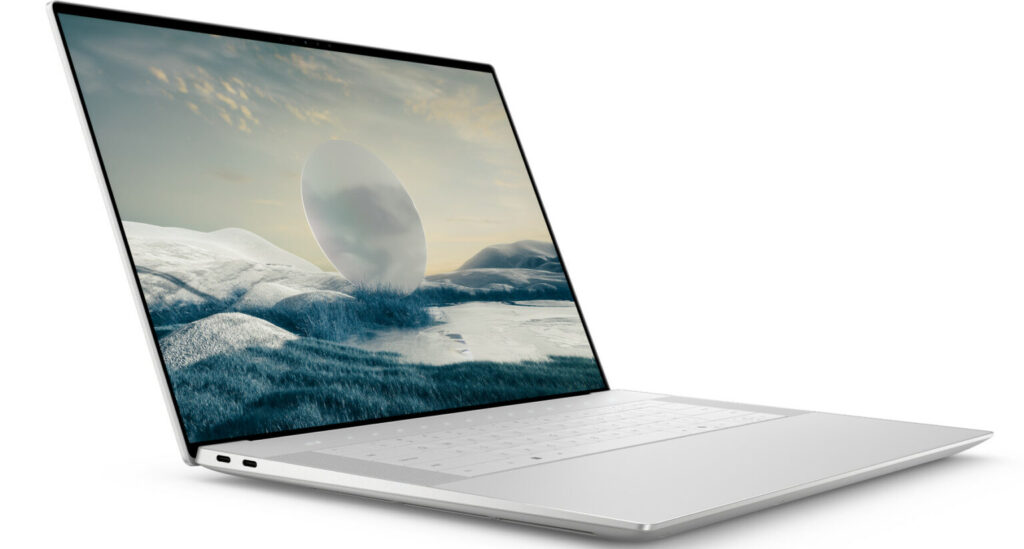
3. Dell XPS 16 (2026): Best Premium Ultraportable for Cloud-First AI Work
- CPU: Intel Core Ultra 7 355 or Ultra X7 358H (Panther Lake)
- GPU: Intel Arc B390 (integrated, 12 Xe3 cores)
- RAM: 16GB–64GB LPDDR5X
- Storage: 512GB–2TB NVMe
- Display: 16″ Tandem OLED, 3200×2000, 120Hz, 100% DCI-P3 (optional); or 2K LCD
- Battery: Up to 20.5 hours (PCWorld’s full-screen video test)
- Price: Starts at $1,599 (2K LCD) / $2,350 (OLED, 32GB)
→ Check the Dell XPS 16 on Amazon
Dell brought back the XPS name at CES 2026 after significant backlash against their confusing 2025 rebrand, and the XPS 16 earns the return. This is a premium ultraportable with integrated Intel Arc graphics, positioned for professionals who primarily use cloud GPU resources for training and need their laptop to be excellent at everything else.
I’ve spent time working through Dell’s spec documentation and multiple independent reviews of this machine in preparation for including it here. What stands out: this is the world’s smallest 16-inch laptop by footprint, at 14.6mm thin and 1.65kg. The OLED configuration (3200×2000, 120Hz, near-perfect DCI-P3 coverage) is one of the best laptop displays currently available on any platform. Battery life in the 20+ hour range (PCWorld’s test) is extraordinary for a 16-inch machine.
For AI work, the honest assessment is: this is the right laptop if you run training on the cloud and use your laptop for code, data exploration, preprocessing, and inference of smaller models. The Intel Arc B390 integrated graphics doesn’t compete with discrete NVIDIA for CUDA training, it’s not designed to. But for data science work in Python, running Jupyter notebooks, working with Pandas and Scikit-Learn, and doing development against cloud-hosted GPU instances, this machine handles everything without friction.
The Panther Lake Core Ultra processor also delivers meaningfully faster AI performance in CPU-bound inference tasks compared to the previous generation, Dell’s own testing shows 57–78% faster AI performance versus previous XPS models. For running quantized 7B models via CPU inference (which is increasingly viable in 2026 with llama.cpp optimizations), this matters.
What it handles well: Data science workflows, Python development, remote development against cloud GPU instances, lightweight local inference, Jupyter notebooks, data preprocessing and feature engineering, premium build quality for professional environments.
Where it falls short: No discrete GPU means no CUDA training locally. If you need to train models on your laptop, you’ll need a different machine. Also: the USB-C-only port layout (no HDMI, no USB-A, no SD card without dongles) is a real limitation if your workflow involves external hardware regularly.
Who it’s for: Data scientists, ML engineers, and researchers who primarily use cloud GPU resources and want the best possible ultraportable development machine. Also excellent for anyone who works in professional environments where aesthetics and build quality matter alongside technical capability.
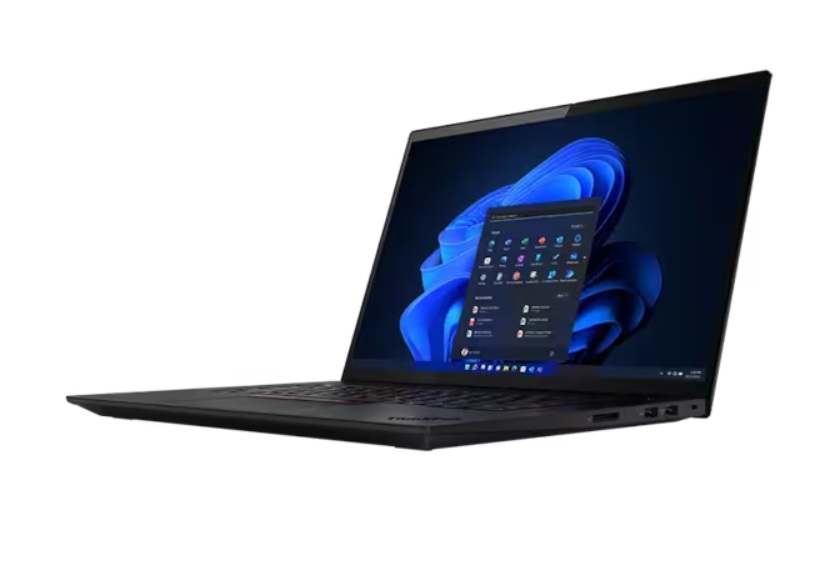
4. Lenovo ThinkPad X1 Extreme Gen 5: Best for Professional ML and Enterprise Reliability
- CPU: Intel Core Ultra 9 185H (Arrow Lake)
- GPU: NVIDIA GeForce RTX 5080, 16GB GDDR7
- RAM: Up to 64GB DDR5
- Storage: Up to 4TB SSD (dual M.2 slots)
- Display: 16″ OLED, 2560×1600, 120Hz (optional) or IPS
- Battery: Up to 12 hours
- Price: Starts at $2,800
→ Check the ThinkPad X1 Extreme Gen 5 on Amazon
The ThinkPad X1 Extreme is Lenovo’s professional-grade machine for people who need serious GPU performance without the gaming aesthetics. The Gen 5 brings the RTX 5080 with 16GB GDDR7, enough VRAM for most practical ML training scenarios, including fine-tuning 7B–13B models in quantized form and training mid-scale CNNs.
What the ThinkPad brings that the gaming laptops on this list don’t: enterprise reliability, Lenovo’s reputation for keyboard quality (consistently ranked among the best laptop keyboards available), and a chassis designed for 8–12 hours of professional use rather than gaming sessions. The thermals are managed differently than consumer gaming machines, quieter fans, more conservative clock management, which means slightly lower peak performance under stress but more consistent behavior across long working days.
I’ve used ThinkPads extensively during my research program, and the keyboard is genuinely the best I’ve found on any laptop, something that matters when you spend the day writing code and papers. The MIL-SPEC durability testing (MIL-STD-810H) gives meaningful confidence for travel and field use.
The 16GB VRAM on the RTX 5080 configuration is the right balance for most professional ML tasks without requiring the premium of the 5090’s 24GB. If you’re training models at the scale where 16GB becomes a bottleneck, you’re likely at the point where cloud GPU resources are the more practical path anyway.
What it handles well: Professional ML workflows, Python development, model training at 7B–13B scale, data science tasks, writing, and anything that benefits from the ThinkPad keyboard and reliability reputation.
Where it falls short: Not as portable as the MacBook or XPS. More expensive than the ROG Zephyrus at similar GPU specs. The gaming-optimized Scar 18 and Legion Pro both offer the RTX 5090 at comparable or lower prices if raw GPU performance is the priority.
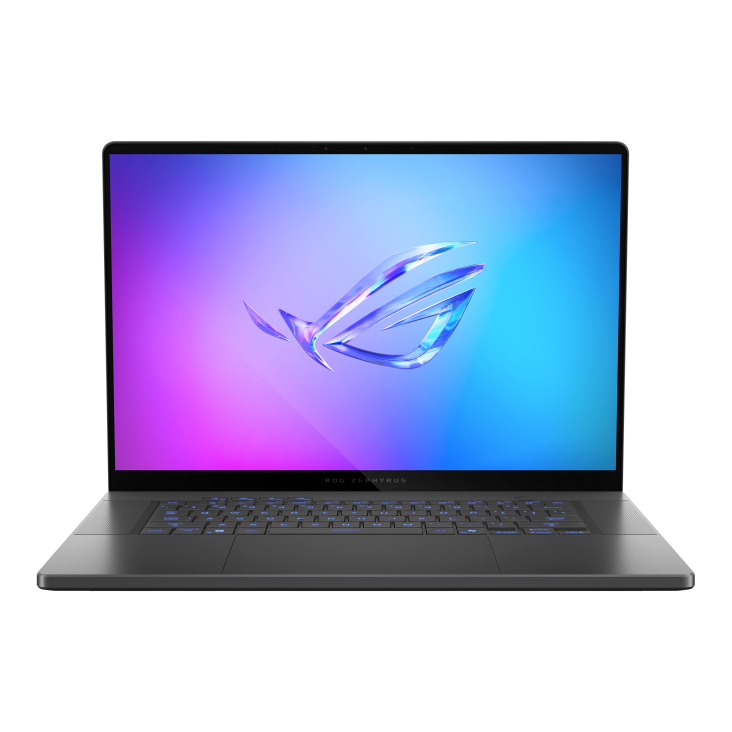
Who it’s for: Professional data scientists and ML engineers in enterprise environments, researchers who need reliable hardware for multi-year use, anyone who types a lot and wants the best keyboard in the laptop market alongside real AI compute.
5. ASUS ROG Zephyrus G16: Best Balance of Portability and GPU Performance
- CPU: AMD Ryzen AI 9 HX 370 or Intel Core Ultra 9
- GPU: NVIDIA GeForce RTX 5080, 16GB GDDR7
- RAM: 32GB DDR5 (soldered)
- Storage: 1TB–2TB NVMe PCIe Gen 4
- Display: 16″ OLED, 2560×1600, 240Hz, 100% DCI-P3
- Battery: Up to 10–12 hours (light use)
- Price: Starts at $2,499
→ Check the ROG Zephyrus G16 on Amazon
The ROG Zephyrus G16 occupies the space between the thin-and-light MacBook and the desktop-replacement Scar 18. At around 2kg, it’s genuinely portable in a way that 18-inch machines aren’t. The RTX 5080 with 16GB GDDR7 gives you real CUDA training capability without the size and weight penalty.
What I find most useful about this machine for AI developers: the OLED display (100% DCI-P3, 240Hz) combined with the Ryzen AI 9 HX 370 processor makes it a genuinely capable development machine for all-day work, while the RTX 5080 handles training jobs that would require cloud GPU resources on a MacBook or XPS. That combination, real GPU locally, beautiful display for daily work, 2kg weight, is what makes the Zephyrus G16 a compelling choice for people who want one machine that does both.
The AMD Ryzen AI 9 HX 370 processor is worth a specific mention. Its XDNA NPU hits higher TOPS numbers than Intel’s integrated NPU, and its multi-core CPU performance is strong for data preprocessing pipelines that stress CPU cores. In workflows where you’re alternating between heavy data preprocessing (CPU-bound) and model training (GPU-bound), the Ryzen configuration of this laptop handles both ends efficiently.
What it handles well: A balanced mix of local GPU training, data preprocessing, code development, and portable daily use. Good for data scientists who want one laptop that can handle training tasks without needing to be plugged into a power strip at a fixed desk.
Where it falls short: The 32GB RAM is soldered and non-upgradeable, if you need more RAM later, you’re stuck. For the heaviest training workloads, 16GB VRAM is a meaningful limitation compared to the 24GB on the Scar 18 and Blade 16. Battery life drops significantly under GPU load.
Who it’s for: Data scientists and ML engineers who need portability without giving up local GPU training capability. The best single machine for someone who travels regularly and can’t carry a desktop replacement.
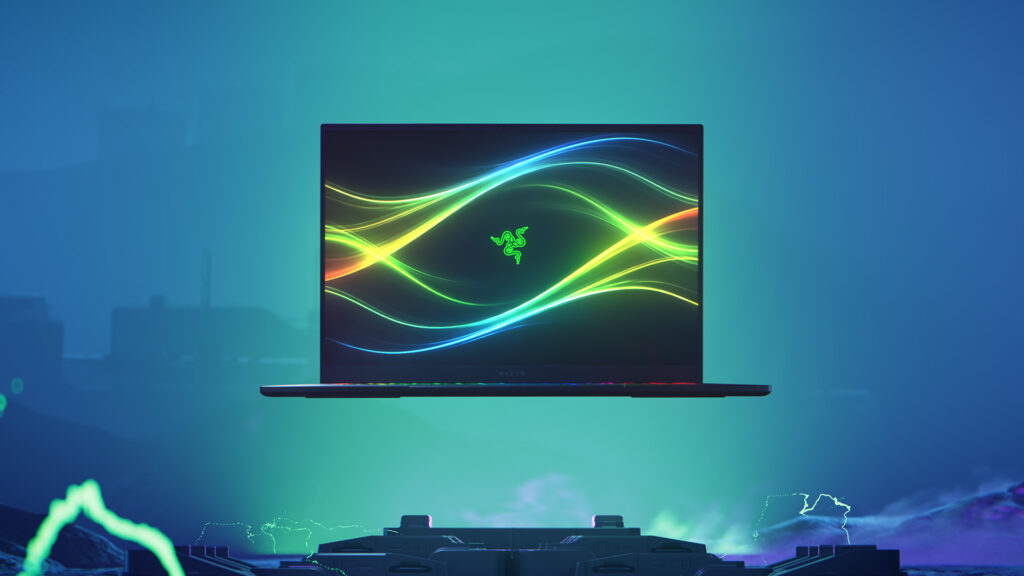
6. Razer Blade 16: Most Powerful GPU in a Thin Chassis
- CPU: Intel Core Ultra 9 275HX
- GPU: NVIDIA GeForce RTX 5090, 24GB GDDR7
- RAM: 32GB DDR5 (upgradeable to 64GB)
- Storage: 1TB–2TB NVMe PCIe Gen 4
- Display: 16″ OLED, 2560×1600, 240Hz
- Battery: 3–4 hours under GPU load
- Price: Starts at $3,999
→ Check the Razer Blade 16 on Amazon
The Razer Blade 16 does something technically impressive: it puts an RTX 5090 with 24GB GDDR7 into a chassis that’s meaningfully thinner and lighter than the ASUS Scar 18. For AI developers who need maximum VRAM in a form factor that travels better than a desktop replacement, this is worth serious consideration.
The practical trade-off for the slimmer design: thermal management. Razer’s cooling is sophisticated, but the laws of physics don’t bend for aesthetics. Under sustained maximum GPU load, the Blade 16 will throttle more than the Scar 18, which means the effective performance gap between these two machines is smaller in sustained training scenarios than the paper specs suggest. Compute Market’s analysis of sustained RTX 5090 laptop GPU performance puts the Blade 16 delivering approximately 60–70% of the desktop RTX 5090’s performance, impressive for the form factor, but worth understanding relative to the Scar 18’s 175W TGP.
For inference workloads and shorter training runs, where thermal throttling matters less, the Blade 16 is the better machine if portability matters to you. For 4+ hour training jobs, the Scar 18 will deliver more consistent throughput.
Who it’s for: Developers and researchers who need 24GB VRAM in a laptop they’re willing to carry daily, and whose training jobs are measured in hours rather than days.
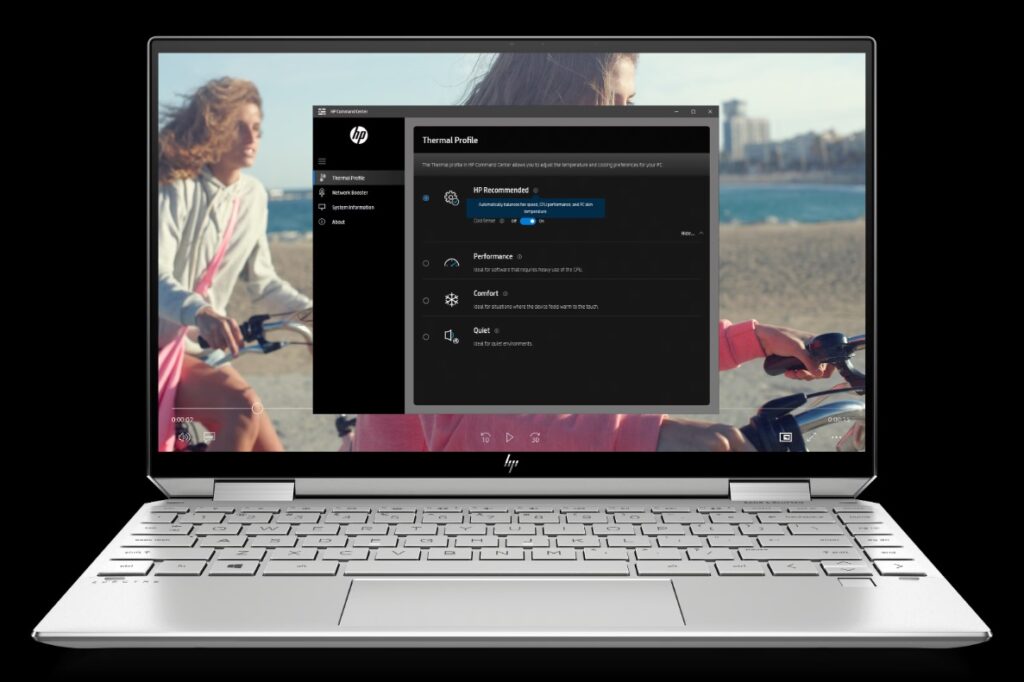
7. HP Spectre x360 16: Best 2-in-1 for Data Analysis and Versatile AI Work
- CPU: Intel Core Ultra 7 or Ultra 9 (Arrow Lake)
- GPU: Intel Arc Graphics (integrated) or optional NVIDIA GeForce RTX 5050
- RAM: Up to 32GB LPDDR5X
- Storage: Up to 2TB SSD
- Display: 16″ OLED touchscreen, 2880×1800, 120Hz
- Battery: Up to 17 hours
- Price: Starts at $1,799
→ Check the HP Spectre x360 on Amazon
The HP Spectre x360 is the right machine for a specific kind of AI work: data analysis, exploratory data science, presentation of findings, and development against cloud GPU resources, with the flexibility of a touchscreen 2-in-1 form factor that can fold into a tablet for reading papers or annotating research.
I’ve looked at this machine specifically for its role in data science workflows rather than heavy training. The OLED touchscreen is exceptional for visualization work, examining data distributions, reviewing model outputs, annotating results, tasks that make up a large portion of practical AI development time. The stylus support that HP includes makes it useful for diagram sketching and handwritten notes during research sessions.
For the optional RTX 5050 GPU configuration: this is the minimum GPU for light local training. It won’t compete with the machines above for serious workloads, but it gives you the option to run smaller model experiments locally without cloud dependency. If you’re a data science student or early-career analyst who primarily works with Pandas, Scikit-Learn, and cloud notebooks, the integrated graphics configuration at $1,799 is sufficient.
Who it’s for: Data analysts, data science students, and researchers who want premium build quality, an excellent touchscreen display, and flexibility in how they use the machine, without needing maximum GPU training capability.
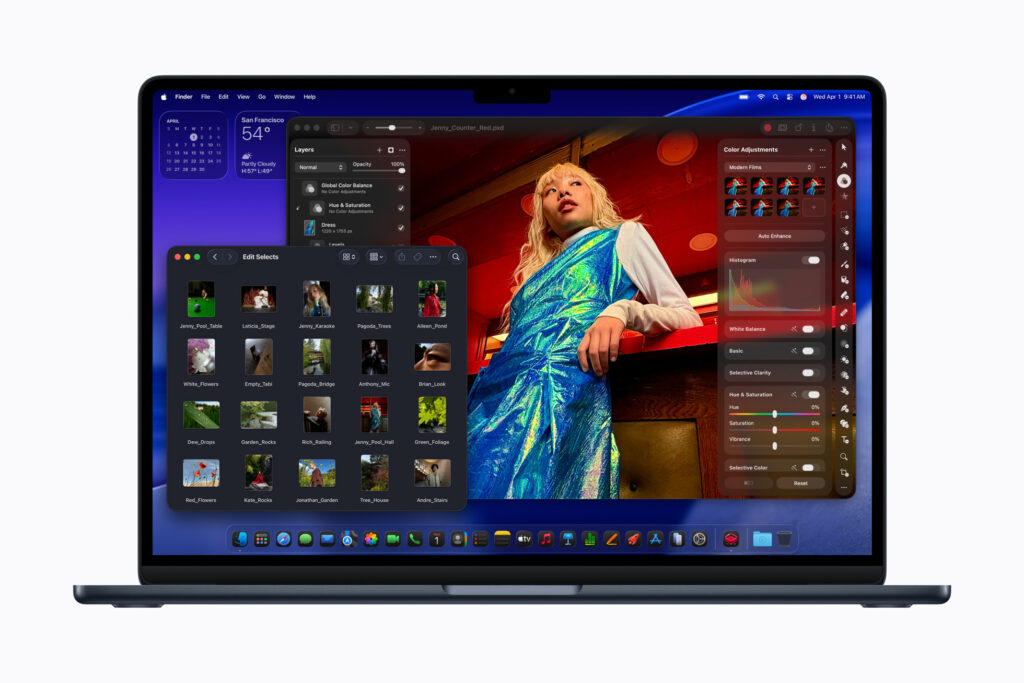
8. MacBook Air M5: Best Value for AI Students and Cloud-First Developers
- CPU: Apple M5 (10-core, 4 super cores + 6 efficiency cores)
- GPU: M5 GPU (10-core) with Neural Accelerators
- RAM: 16GB–32GB unified memory
- Storage: 512GB–2TB SSD
- Display: 15.3″ Liquid Retina, 2880×1864, 500 nits (15-inch)
- Battery: Up to 18 hours
- Price: Starts at $1,099 (13-inch) / $1,299 (15-inch)
→ Check the MacBook Air M5 on Amazon
If budget is a constraint and you primarily use cloud GPU resources for training, the MacBook Air M5 is the most capable machine you can buy for AI development in 2026 at its price point. At $1,099, it delivers Apple Silicon performance, including the Neural Accelerators now built into the M5 GPU, at a price that every other laptop at this spec level cannot touch.
The 2026 M5 update brought an important baseline change: storage now starts at 512GB instead of the previous 256GB that frustrated many users. Combined with the 16-core Neural Engine and the unified memory architecture (which makes all of the RAM accessible to ML workloads), the MacBook Air M5 handles the kind of daily AI development work, writing code, running data pipelines, working in notebooks, doing local inference on smaller models, that constitutes most of what AI practitioners actually do on their laptops.
The one genuine limitation: no fan. The MacBook Air’s fanless design means it will throttle under sustained heavy load. For short inference tasks and development work, this doesn’t matter. For training even a small neural network for more than a few minutes, you’ll see the CPU and GPU clock speeds pull back. The MacBook Pro resolves this with active cooling, if you need sustained performance, step up.
If you’re a student taking your first deep learning courses, working through the Udemy data science curriculum, or early in your career doing data analysis and cloud-based ML work, the MacBook Air M5 with 16GB RAM at $1,099 is the best-value AI laptop available. Upgrade to 24GB or 32GB if your budget allows, unified memory doesn’t get easier to add later.
Who it’s for: AI students, early-career data scientists, anyone who primarily uses Google Colab, AWS, or other cloud GPU resources, and developers who want the best price-to-performance ratio for non-training AI work.
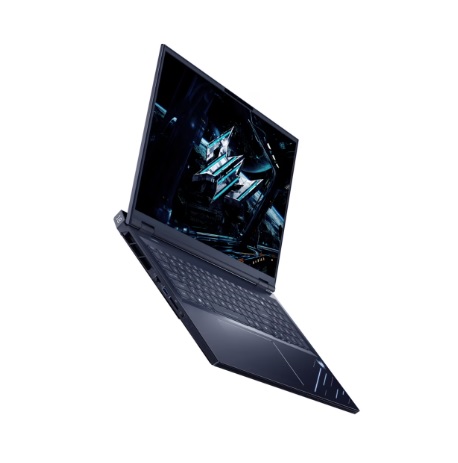
9. Acer Predator Helios 18: Best Value for Sustained GPU Training Performance
- CPU: Intel Core Ultra 9 275HX or AMD Ryzen 9
- GPU: NVIDIA GeForce RTX 5080, 16GB GDDR7
- RAM: 32GB DDR5 (upgradeable to 64GB)
- Storage: 1TB–2TB PCIe Gen 4
- Display: 18″ QHD+ IPS, 250Hz, or OLED option
- Battery: 2–4 hours under GPU load
- Price: Starts at $2,299
→ Check the Acer Predator Helios 18 on Amazon
The Acer Predator Helios 18 occupies the same large-laptop category as the ASUS Scar 18 but at a meaningfully lower price. The RTX 5080 with 16GB GDDR7 is sufficient for training models at the 7B parameter scale and below, and the Helios 18’s cooling system, Acer’s AeroBlade 3D fans and liquid metal on the CPU, sustains performance better than most comparably priced competitors.
What you get over the Scar 18: roughly $2,300 in savings. What you give up: 8GB of VRAM (which matters for the largest local models) and some peak benchmark numbers that rarely affect real-world training workflows. For someone who wants serious local GPU capability for AI work without spending $4,500+, this is the most practical choice on this list.
The 18-inch form factor shares the Scar 18’s desktop-replacement limitations, this is not a machine you carry in a standard backpack without effort. But at a desk or with a dedicated setup, it delivers enough GPU compute for most practical deep learning workloads that an individual researcher or developer would undertake.
Who it’s for: ML practitioners who need CUDA training capability and 16GB VRAM, but can’t justify the Scar 18’s price. The best price-to-GPU-performance laptop on this list.
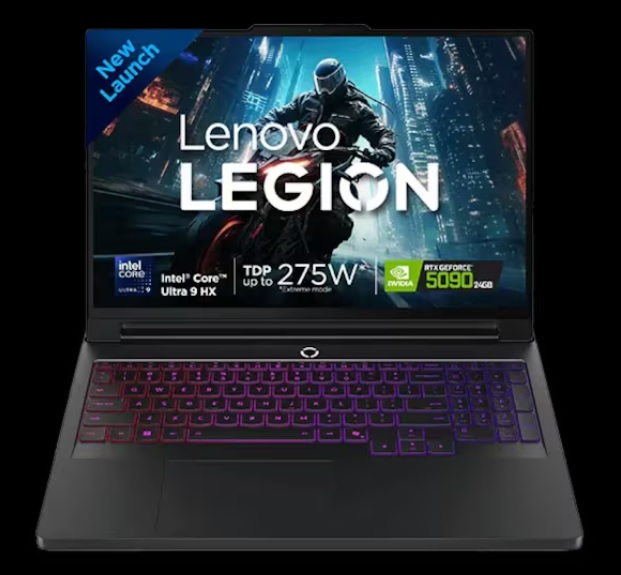
10. Lenovo Legion Pro 7i: Best High-Power Option That Travels Better Than Scar 18
- CPU: Intel Core Ultra 9 285HX
- GPU: NVIDIA GeForce RTX 5090, 24GB GDDR7
- RAM: Up to 64GB DDR5 (dual-slot, upgradeable)
- Storage: Up to 2TB PCIe Gen 4 (dual M.2, upgradeable)
- Display: 16″ OLED, 2560×1600, 240Hz, 100% DCI-P3
- Battery: 3–5 hours moderate use
- Price: Starts at $3,499
→ Check the Lenovo Legion Pro 7i on Amazon
The Lenovo Legion Pro 7i gives you RTX 5090 performance and 24GB GDDR7 in a 16-inch chassis that’s more portable than the 18-inch Scar 18, while maintaining competitive thermal management. It’s a meaningful alternative for developers who need maximum VRAM but can’t live with a 3kg+ desktop replacement.
Lenovo’s cooling solution on the Legion Pro series has consistently ranked among the better thermal designs for sustained GPU workloads in independent testing. The dual-slot RAM and dual M.2 storage configuration, both upgradeable, is a practical advantage over machines with soldered memory. Starting with 32GB and upgrading later is a realistic option that reduces upfront cost without sacrificing the machine’s long-term capability.
The OLED display on the 7i is one of the best on any gaming-adjacent laptop, the 240Hz refresh rate and 100% DCI-P3 coverage make it usable as a primary display for detailed data visualization and extended development sessions, not just gaming.
Who it’s for: ML engineers and researchers who need 24GB VRAM for large model training and want a more portable alternative to the 18-inch Scar 18, with the upgrade flexibility that soldered-RAM machines don’t offer.
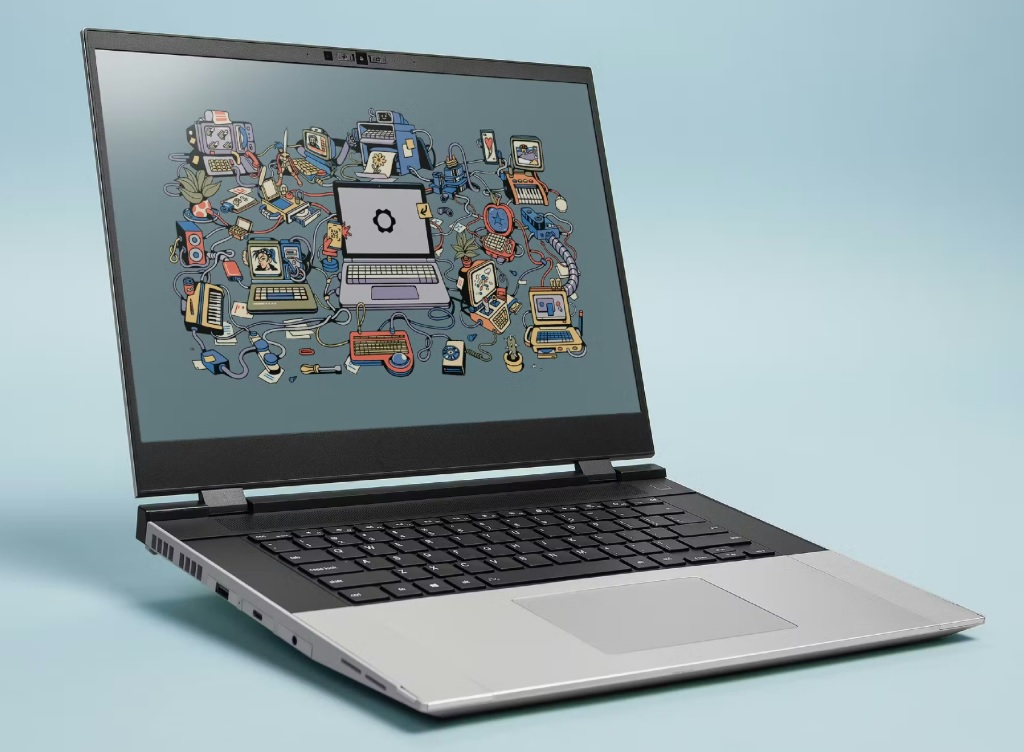
11. Framework Laptop 16: Best for Linux Users and Long-Term Upgradeability
- CPU: AMD Ryzen 9 7940HX
- GPU: AMD Radeon RX 7700S (8GB) — swappable module, upgradeable
- RAM: Up to 64GB DDR5 (user-upgradeable)
- Storage: Up to 4TB NVMe (user-replaceable)
- Display: 16″ matte 165Hz IPS
- Battery: 6–8 hours light use
- Price: Starts at $1,799 (with discrete GPU module)
→ Check the Framework Laptop 16 on Amazon
The Framework Laptop 16 doesn’t compete with the other machines on this list for raw AI compute, the AMD Radeon RX 7700S uses ROCm rather than CUDA, which limits compatibility with the broader PyTorch/TensorFlow ecosystem. But it earns its place for a specific audience: Linux developers who value repairability and upgradability, and anyone who wants to start with a capable AI development machine and upgrade its GPU module as better options become available.
The modular GPU design is Framework’s defining feature. You can replace the GPU module when newer, more capable options are released, a significant advantage over every other laptop on this list, where the GPU is permanently soldered. For someone who plans to use this machine for 4–6 years, the ability to upgrade the GPU without replacing the entire laptop is a real value proposition.
For AI work on Linux specifically: ROCm support for PyTorch has improved substantially in 2025–2026, making the AMD GPU more viable for training workflows than it was two years ago. It’s still not at CUDA’s compatibility level, but for most standard PyTorch training scenarios, ROCm works. Cloud GPU resources (Colab, etc.) resolve the CUDA limitation for training at scale.
Who it’s for: Linux enthusiasts, developers who prioritize repairability and upgradeability, and anyone who wants to minimize e-waste and maximize the lifespan of their hardware investment. Not the right choice if CUDA compatibility is important to your current workflows.
And here the list ends! So these are the 11 Best Laptops for Artificial Intelligence (AI) in 2026. Now it’s time to wrap up.
Which Laptop Should You Actually Buy?
Here’s the decision guide based on your actual situation:
If your work is primarily inference and development (cloud training): MacBook Pro M5 Pro is the best all-around machine. MacBook Air M5 is the best value option. Dell XPS 16 is the best Windows alternative if you want premium ultraportable in the Windows ecosystem.
If you need CUDA training locally and have the budget: ROG Strix Scar 18 (24GB VRAM) for maximum performance, Lenovo Legion Pro 7i (24GB VRAM, more portable), or ROG Zephyrus G16 (16GB VRAM, most portable with discrete GPU) depending on how much you prioritize portability vs. raw throughput.
If you need CUDA training locally on a tighter budget: Acer Predator Helios 18 with RTX 5080 is the best value for sustained GPU performance. Lenovo ThinkPad X1 Extreme Gen 5 if you’re in a professional environment where build quality and keyboard matter as much as GPU performance.
If you’re a student just starting with AI: MacBook Air M5 (16GB or 24GB) plus a Google Colab Pro subscription is genuinely the most practical setup for the money. You get excellent local development capability and GPU access for training without a $3,000+ hardware investment. Pair it with courses to build your foundations, our breakdown of the best data science courses on Udemy covers what to learn first.
If you use Linux as your primary OS: Framework Laptop is purpose-built for you. ROCm-based AI training via the AMD GPU module, user-upgradeable everything, and a community that actively maintains Linux support.
Conclusion
I hope you have found your best laptop among these 11 Best Laptops for Artificial Intelligence (AI) in 2026. I have listed all the laptops that meet the minimum requirement for Artificial Intelligence. If you know of any other laptop that is best for Artificial Intelligence Programming, let me know in the comment section.
The AI laptop market in 2026 is the most capable it’s ever been, and also the most confusing to navigate. Every laptop has an NPU. Every spec sheet mentions AI acceleration. Most of it is marketing that doesn’t matter for the actual workloads you’re running.
What matters: VRAM if you’re training locally. Unified memory if you’re on Apple Silicon. CPU core count for data preprocessing. Display quality for long working sessions. Thermals for sustained performance. Battery life for wherever you actually work.
The MacBook Pro M5 Pro is the right choice for the majority of AI practitioners. The ASUS ROG Strix Scar 18 is the right choice for people who train large models locally and need maximum CUDA performance. Everything else on this list fills the space between those two anchors depending on your budget, portability needs, and specific workflow.
Pick the machine that matches how you actually work, not the most impressive specs sheet, and you’ll spend less time fighting your hardware and more time building things that matter.
All the Best!
Happy Learning!
FAQ
You May Also Be Interested In
Best Resources to Learn Computer Vision (YouTube, Tutorials, Courses, Books, etc)- 2026
Best Certification Courses for Artificial Intelligence- Beginner to Advanced
Best Natural Language Processing Courses Online to Become Expert
Best Artificial Intelligence Courses for Healthcare You Should Know in 2026
What is Natural Language Processing? A Complete and Easy Guide
Best Books for Natural Language Processing You Should Read
Augmented Reality Vs Virtual Reality, Differences You Need To Know!
What are Artificial Intelligence Examples? Real-World Examples.
Thank YOU!
Explore more about Artificial Intelligence.
Thought of the Day…
‘ It’s what you learn after you know it all that counts.’
– John Wooden

Written By Aqsa Zafar
Aqsa Zafar is a Ph.D. scholar in Machine Learning at Dayananda Sagar University, specializing in Natural Language Processing and Deep Learning. She has published research in AI applications for mental health and actively shares insights on data science, machine learning, and generative AI through MLTUT. With a strong background in computer science (B.Tech and M.Tech), Aqsa combines academic expertise with practical experience to help learners and professionals understand and apply AI in real-world scenarios.