
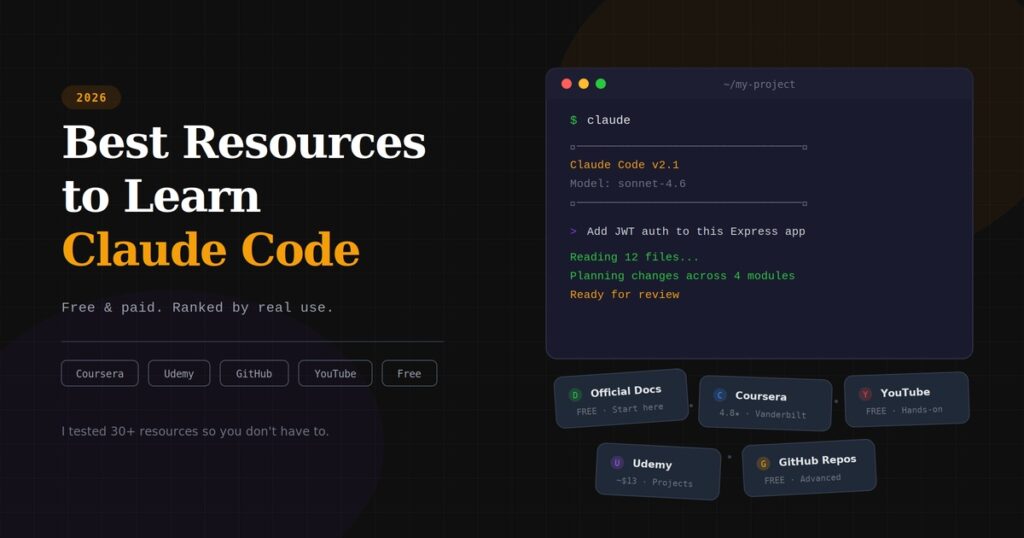
Are you looking for “Best Resources to Learn Claude Code?” If yes, you are in the right place. I spent the last four months deep inside Claude Code. Not casually prompting it. Not watching overview videos. Actually shipping production features, breaking things, fixing them, and figuring out what works through repetitive daily use.
During that time, I went through dozens of tutorials, courses, GitHub repos, and official documentation. Some were worth every minute. Others wasted my time with surface-level content that taught me nothing I couldn’t pick up from the official quickstart page.
This post is the resource guide I wish someone had handed me on day one. Every recommendation here comes from personal testing. I’ll tell you what each resource actually covers, who it’s for, what it skips, and whether it’s worth your time or money.
If you searched for “best resources to learn Claude Code,” you probably want a clear answer. Not a sales pitch. Not 2,000 words of filler about why AI matters. Just the resources, organized by what you actually need.
Let’s get into it and find the best resources to learn Claude Code.
Best Resources to Learn Claude Code
- Best Resources to Learn Claude Code
- First, Know What You're Actually Learning
- Pick Your Path Based on Where You Are Right Now
- Official Resources (Start Here, Seriously)
- Can You Learn Claude Code Without Paying for a Subscription?
- Best Paid Courses on Coursera
- Best Paid Courses on Udemy
- Free YouTube Course
- Free Community Course
- Best GitHub Repositories for Self-Directed Learning
- What I'd Do If I Were Starting From Scratch Today
- Quick Comparison Table
- Mistakes I Made So You Don't Have To
- How to Tell If a Claude Code Course Is Still Worth Taking
- Should You Pay for a Course or Stick With Free Resources?
- Conclusion
- Frequently Asked Questions
- You May Also Be Interested In
- Thought of the Day…
First, Know What You’re Actually Learning
Before I point you to any course or guide, I want to save you from a mistake I made early on.
Claude Code is not a chatbot for coding. It’s not GitHub Copilot with a different name. It runs directly in your terminal, reads your entire project, edits files across multiple directories, runs commands, and makes architectural decisions. When you give it a task like “add JWT authentication to this Express app,” it doesn’t spit out a code snippet. It finds every relevant file, plans the changes, shows you what it will modify, and waits for your approval before touching anything.
That distinction is important because most “Claude Code courses” I found treat it like a chatbot. They show you how to type a prompt and get a response. That’s about 10% of what you need to know.
The real skills are context engineering (how you feed Claude the right information about your project through CLAUDE.md files), Plan Mode (how you get Claude to reason through complex changes before executing), slash commands (how you automate repetitive workflows), skills and hooks (how you extend Claude’s capabilities for your specific stack), and agent teams (how you run multiple Claude instances in parallel on large projects).
Any resource that doesn’t cover at least most of these topics is incomplete. Keep that in mind as you evaluate what’s below.
Pick Your Path Based on Where You Are Right Now
Not every resource fits every person. That’s how I’d approach learning based on your background:
If you’ve never written code before, start with Anthropic’s official quickstart documentation at code.claude.com/docs, then move to a beginner-friendly course like the free CC for Everyone course or the YouTube playlist I’ve linked below. You need to understand how the terminal works, what a project directory looks like, and how file editing works before the advanced stuff makes sense.
If you’re a developer picking up Claude Code for the first time, skip the beginner material. Go straight to Anthropic’s official “Claude Code in Action” course on Skilljar or the Coursera version. Pair that with a CLAUDE.md template for your stack. You’ll be productive within a week.
If you already use Claude Code and want to go deeper, Focus on agent teams, custom skills, hooks, and MCP server integration. The GitHub repos I list below, and the advanced Udemy courses, will get you there faster than any beginner tutorial.
Now, let me walk through the best resources to learn Claude code that are worth your attention.
Official Resources (Start Here, Seriously)
Anthropic’s Claude Code Documentation
Link: Claude Code overview
Cost: Free
Time commitment: 2–3 hours to read thoroughly
This is the single most underrated resource for learning Claude Code. I know documentation sounds boring compared to a video course, but hear me out.
The official docs are written by the team that builds Claude Code. They cover installation, authentication, every slash command, permission systems, CLAUDE.md configuration, MCP servers, hooks, skills, and agent teams. Every time Claude Code gets a new feature, the docs update within days.
I still go back to these docs weekly. When I was setting up custom hooks for my CI/CD pipeline, no course covered it. The docs did.
The limitation is that these are reference docs, not a tutorial. They tell you what each feature does, but they don’t always show you when and why to use one approach over another. That’s where courses fill the gap.
Anthropic’s “Claude Code in Action” Course (Skilljar)
Link: Claude Code in Action
Cost: Free
Time commitment: 3–4 hours
This is Anthropic’s own structured course on their Skilljar learning platform. It covers the architecture behind how Claude Code works (not just the buttons to press), tool use systems, context management, Plan Mode, Thinking Mode, custom commands, MCP servers, GitHub integration, and hooks.
I took this course after I’d been using Claude Code for about six weeks, and I still learned things I’d missed. The context management section alone changed how I structure my prompts. The MCP server module showed me how to connect Claude Code to browser automation tools I didn’t know existed.
The pace is fast and assumes you’re comfortable with a terminal. If you’ve never used the command line, start elsewhere. But for developers, this is the single best starting point because it comes straight from the people who built the tool.
Anthropic’s “Building with the Claude API” Course (Coursera)
Link: Building with the Claude API
Cost: Free to audit, certificate costs extra
Time commitment: 6–8 hours across seven modules
This one isn’t strictly about Claude Code, the CLI tool. It covers the Claude API, prompt engineering, tool use, retrieval systems, and agentic workflows. But if you want to build applications that use Claude under the hood (not just use Claude Code as your coding assistant), this course fills that gap.
I found the modules on agentic workflows and tool design particularly useful. They gave me the mental model for understanding why Claude Code works the way it does, which made me better at using it.
Can You Learn Claude Code Without Paying for a Subscription?
This comes up often, so let me address it directly.
Claude Code requires a paid Anthropic account. The Pro plan at $20/month is the minimum. There’s no free tier for the CLI tool. Some courses (like the Vanderbilt one on Coursera and Anthropic’s Skilljar course) are free to take, but you’ll need a subscription to practice what they teach.
That’s how pricing works as of April 2026:
Claude Pro at $20/month gives you Claude Code access with Sonnet as the default model. Enough for learning and light daily use. Usage resets every 5 hours with a weekly cap.
Claude Max 5x at $100/month gives five times more usage, full access to Opus, priority during peak times, and agent teams. This is what most working developers land on.
Claude Max 20x at $200/month is for heavy daily use. Twenty times the Pro allocation.
API pay-as-you-go is also an option for more cost control, but for learning, Pro is the right starting point.
My advice: start on Pro. Use Sonnet for everything except complex refactoring. If you hit limits before lunch consistently, upgrade to Max 5x. I stayed on Pro for my first month and only upgraded when I started using agent teams, which burn through tokens fast.
Best Paid Courses on Coursera
Claude Code: Software Engineering with Generative AI Agents (Vanderbilt University)
Link: Claude Code: Software Engineering with Generative AI Agents
Instructor: Dr. Jules White
Rating: 4.8/5 from 115+ reviews
Cost: Free to audit, paid for certificate
Time commitment: 8–10 hours
This is, in my opinion, the best structured course on Claude Code available right now on any platform.
Dr. Jules White doesn’t treat Claude Code as a novelty. He approaches it from a software engineering perspective: how do you orchestrate AI agents to build production software at scale? The course covers the “Best of N” pattern (where you generate multiple solutions and pick the best), parallel agent workflows across git branches, CLAUDE.md files for onboarding automation, and quality assurance processes for AI-generated code.
The thing that sets this apart from Udemy courses is depth. You learn to think about Claude Code the way a tech lead thinks about managing a team. Not “how do I get it to write a function,” but “how do I design a system where Claude handles implementation while I handle architecture.”
The downside: one reviewer noted it leans toward high-level benefits and could use more hands-on screenshare guidance. If you’re someone who learns best by watching someone code in real time, supplement this with a project-based Udemy course.
Vibe Coding with Claude Code (Scrimba, available on Coursera)
Link: Vibe Coding with Claude Code
Instructor: Maham Codes
Cost: Free to audit
Time commitment: 4–5 hours
This course takes a hands-on approach. You build a calendar app while learning hooks, slash commands, agents, and MCP integration. The Scrimba format is interactive, so you can pause and edit the instructor’s code right in the browser.
I liked this one for the MCP module specifically. Setting up your own MCP server felt confusing until I watched someone walk through it step by step. The calendar app project gives you something tangible to deploy, which beats abstract exercises.
Requires solid JavaScript knowledge. If you’re not comfortable with JS, try the Vanderbilt course instead.
Claude Code for Vibe Coding (Edureka, on Coursera)
Link: Claude Code for Vibe Coding
Cost: Free to audit
Time commitment: 5–6 hours
This is a newer course focused on structured instruction design, meaning how to write prompts and CLAUDE.md configurations that get consistent, production-quality output. It also covers MCP integration and deployment practices.
Good for people who already understand Claude Code basics and want to improve the quality of what Claude produces. The testing and validation module is something most other courses skip entirely.
Best Paid Courses on Udemy
Udemy courses go on sale constantly. Never pay full price. Wait for a sale, and you’ll get any of these for $10–15.
Claude Code – The Practical Guide (Maximilian Schwarzmüller, Academind)
Link: Claude Code – The Practical Guide
Rating: 4.6/5 with 4,700+ ratings
Cost: ~$13 on sale
Time commitment: 3+ hours of video, ongoing updates
Max Schwarzmüller is one of Udemy’s best technical instructors, and his reputation is earned. This course moves fast. You go from installation to building a real project, covering context engineering, core commands, subagents, skills, MCPs, hooks, and plugins along the way.
What I appreciate about Max’s teaching: he explains why each feature matters before showing you how to use it. When he covers subagents, he doesn’t just say “here’s the command.” He explains when subagents save time versus when they add unnecessary complexity. That judgment is what separates a user from a practitioner.
The course is tagged “Hot & New” as of early 2026, and Academind courses tend to get regular updates. Good bet for staying current.
The Complete Claude Code & Claude Cowork Masterclass (Prof. Ryan Ahmed)
Link: The Complete Claude Code & Claude Cowork Masterclass [2026]
Rating: 4.7/5 with 430+ ratings, Bestseller and Highest Rated tags
Cost: ~$13 on sale
Time commitment: 15+ hours
This is the longest and most comprehensive Udemy course I’ve seen on Claude Code. It covers both Claude Code (the terminal coding tool) and Claude Cowork (the desktop automation tool), plus MCP connections to Gmail, Slack, and Salesforce, custom agent skills, plugins for data analysis and financial modeling, and deployment of multi-agent teams.
I recommend this if you want one course that covers everything. The trade-off is length. If you only care about Claude Code for software development, roughly half the course (the Cowork sections) won’t apply to you. But if you’re a solo founder or someone who wants Claude to automate both your code and your business operations, this is the most complete package on Udemy.
No programming experience required, which makes it accessible to non-developers too.
Claude Code: Building Faster with AI, from Prototype to Prod (Frank Kane)
Link: Claude Code: Building Faster with AI, from Prototype to Prod
Instructor: Frank Kane (ex-Amazon senior engineer, 1M+ students on Udemy)
Cost: ~$13 on sale
Time commitment: 5+ hours
Frank Kane brings something rare to Claude Code instruction: decades of production engineering experience at Amazon. This course builds an online radio station web app from scratch, starting with rapid prototyping and progressing to production practices like unit tests, security scans, CI integration, and performance optimization.
What I value about Frank’s approach is that he doesn’t just show you how to get Claude Code to generate code. He shows you how to get it to generate good code. The difference between a quick prototype and production-ready software is testing, security, and deployment, and this course covers all three.
If you’re a working developer who already knows how to code and wants to integrate Claude Code into a professional workflow, Frank’s course is the most practical option on Udemy.
Claude Code Beginner Crash Course: Claude Code In a Day
Link: Claude Code Beginner Crash Course
Rating: Bestseller
Cost: ~$13 on sale
Time commitment: 9+ hours across 92 lectures
Eden Marco’s course is specifically designed for developers coming from tools like Cursor or Windsurf. The course covers Claude Code proficiency, multi-agent system workflows, context engineering, the agent harness pattern, and strategies for AI-assisted debugging.
What stood out to me: the security module. Eden spends time on prompt injection risks, attack vectors for AI coding agents, and how to review agent output responsibly. This is a topic almost every other course ignores, and it matters a lot if you’re using Claude Code on production codebases.
Requires prior experience with generative AI concepts, Python or TypeScript, and basic Git. Not for absolute beginners.
Claude Code Beginner to Pro: Agentic Coding for Developers
Link: Claude Code Beginner to Pro
Cost: ~$13 on sale
Time commitment: 6+ hours
This course builds a complete workout logging app called LiftingDiary using Next.js, with Claude Code handling most of the implementation. The focus is on designing coding standards, workflows, and automation configurations so Claude produces code that matches your style.
I like the project-based approach here. By the end, you have a deployed app and a reusable set of CLAUDE.md configurations and slash commands. That’s more useful than certificate credentials, frankly.
Free YouTube Course
Claude Code Complete Tutorial Playlist
Link: Claude Code Course — Step-by-Step Guide from CLI to Real Workflows
Cost: Free
Time commitment: Watch at your own pace
I want to specifically call out this YouTube playlist because it fills a gap that most paid courses miss.
This is a hands-on, visual walkthrough of Claude Code that you can follow along with in real time. It covers the practical, day-to-day workflows that matter: installation, configuration, building projects, using Plan Mode, setting up CLAUDE.md, working with slash commands, and shipping actual code. The tutorials don’t rush past the setup and configuration steps that trip up beginners. They actually show you the terminal output, the error messages, and how to work through them.
The reason I recommend this alongside paid courses comes down to how most people actually learn tools like this. Video tutorials let you see someone’s terminal, watch their decision-making process in real time, and pause when you need to catch up. Paid courses are often scripted and heavily edited. YouTube tutorials tend to be more raw and honest about mistakes and debugging, which is where the real learning happens. You’ll see what it looks like when Claude Code does something unexpected and how to recover, which no polished Udemy course shows you.
I found this playlist particularly useful for understanding the flow of a real Claude Code session. Not the ideal, perfect demo session. The messy, real one where you change your mind halfway through a prompt, realize you forgot to update CLAUDE.md, and have to backtrack. That’s what actual usage looks like, and it’s the context that makes other learning resources click.
If you’re on a tight budget and can only pick one resource beyond the official docs, this playlist, combined with Anthropic’s free Skilljar course, will get you surprisingly far. I’d put this ahead of many paid courses I’ve tested, especially for beginners who want to see Claude Code used in a real workflow before committing money to a Udemy course.
Bookmark it. Come back to specific videos as you hit different stages of your learning.
Free Community Course
CC for Everyone (ccforeveryone.com)
Link: CC for Everyone
Creator: Carl Vellotti
Cost: Free
Time commitment: 6–8 hours
This is a free course that teaches Claude Code inside Claude Code itself. No videos. No documentation pages. You clone the course repo, open it in Claude Code, and learn by doing real tasks.
It covers file operations, split-screen visual workflows, parallel agents, custom sub-agents, project memory with CLAUDE.md, slash commands, and keyboard shortcuts. Created for people with zero coding experience, so the explanations are grounded and jargon-free.
The format is genuinely clever. Instead of watching someone else use Claude Code, you’re using it from minute one. I went through it even after weeks of daily use and picked up shortcuts I’d missed.
Requires a Claude Pro or Max subscription ($20/month minimum). Not affiliated with Anthropic.
Best GitHub Repositories for Self-Directed Learning
These aren’t courses. They’re community-built knowledge bases, and some of them are better than paid material.
awesome-claude-code
Link: awesome-claude-code
Stars: Growing rapidly
Updated: Actively maintained (last update: days ago)
A curated collection of skills, hooks, slash commands, agent orchestrators, applications, and plugins for Claude Code. This is where I go to find production-ready configurations I can drop into my projects.
The “Better resources” section specifically highlights materials with real depth, like the Claude Code Ultimate Guide by Florian Bruniaux (which includes 41 Mermaid diagrams, a 271-question quiz, and security threat modeling), and the claude-howto repo by Constantin Shafranski (which includes 10 tutorial modules you can complete in 11–13 hours).
If you’ve finished a course and want to go deeper, this repo is your next stop.
claude-howto
Link: claude-howto
Time commitment: 11–13 hours for the full learning path
Ten tutorial modules covering every Claude Code feature, from slash commands to custom agent teams. Each module includes copy-paste configs, Mermaid diagrams explaining how features work internally, and a self-assessment quiz you can run directly in Claude Code.
What makes this different from courses: it’s completely free, open-source (MIT license), and maintained in sync with Claude Code releases. The current version is compatible with Claude Code 2.1+.
The progressive learning path is well-designed. Each module builds on the last, and by the end you’re wiring together slash commands, memory, subagents, and hooks into automated pipelines.
Claude Code Ultimate Guide (Florian Bruniaux)
Link: Claude Code Ultimate Guide
This is the most thorough single resource I’ve found on Claude Code, period. It covers everything from core concepts to production security, with 41 Mermaid diagrams, real case studies (Fountain, Rakuten, CRED, TELUS), a 271-question knowledge quiz, and the only guide I’ve seen that includes threat modeling for AI coding systems with 24 CVEs and a database of 655 malicious skills.
It’s dense. It’s not for day-one beginners. But if you’re serious about using Claude Code professionally and want to understand trade-offs (when to use agents vs. skills vs. commands), this is the resource to study.
What I’d Do If I Were Starting From Scratch Today
Here’s the exact two-week plan I’d follow:
Days 1–2: Read the official quickstart at code.claude.com/docs. Install Claude Code. Run it on a small personal project. Don’t try anything fancy. Just get comfortable with the terminal interface, permissions, and basic file editing.
Days 3–4: Watch the YouTube playlist I linked above. Follow along on your own project. Pay special attention to how CLAUDE.md files are set up and how Plan Mode is used for multi-file changes.
Days 5–7: Take Anthropic’s free “Claude Code in Action” course on Skilljar. This fills in the architectural understanding of how Claude Code works under the hood. Take notes on the context management and MCP sections.
Week 2, Days 8–10: Pick one paid course. If you’re a developer, go with the Vanderbilt course on Coursera or Max Schwarzmüller’s Practical Guide on Udemy. If you’re non-technical, go with the Complete Claude Code Masterclass by Prof. Ryan Ahmed.
Week 2, Days 11–14: Clone the claude-howto GitHub repo. Work through the modules at your own pace. Start building your own slash commands and skills for your actual daily workflow.
By day 14, you’ll know more about Claude Code than 90% of people using it. That’s not an exaggeration. Most users never get past basic prompting.
Quick Comparison Table
| Resource | Type | Cost | Skill Level | Covers Advanced Features | Last Updated |
|---|---|---|---|---|---|
| Anthropic Docs | Documentation | Free | All levels | Yes (complete reference) | Continuously |
| Claude Code in Action (Skilljar) | Official course | Free | Intermediate | Yes | 2026 |
| Claude Code: Software Engineering (Vanderbilt/Coursera) | University course | Free to audit | Intermediate-Advanced | Yes (agents, parallel workflows) | Feb 2026 |
| Vibe Coding with Claude Code (Scrimba/Coursera) | Interactive course | Free to audit | Intermediate | Yes (hooks, MCP, agents) | 2026 |
| Claude Code – The Practical Guide (Udemy) | Video course | ~$13 sale | Beginner-Advanced | Yes (skills, MCPs, hooks, plugins) | Mar 2026 |
| Complete Claude Code Masterclass (Udemy) | Video course | ~$13 sale | Beginner-Advanced | Yes (MCP, agent skills, multi-agent) | Mar 2026 |
| Claude Code Crash Course – Eden Marco (Udemy) | Video course | ~$13 sale | Intermediate | Yes (security, multi-agent) | Apr 2026 |
| YouTube Tutorial Playlist | Video playlist | Free | Beginner-Intermediate | Partial | 2026 |
| CC for Everyone | Interactive (in-Claude) | Free | Beginner | Yes (agents, memory, commands) | 2026 |
| awesome-claude-code (GitHub) | Curated repo | Free | Intermediate-Advanced | Yes | Continuously |
| claude-howto (GitHub) | Tutorial modules | Free | Beginner-Advanced | Yes (10 modules) | Apr 2026 |
| Claude Code Ultimate Guide (GitHub) | Comprehensive guide | Free | Advanced | Yes (security, threat modeling) | Apr |
Mistakes I Made So You Don’t Have To
I skipped CLAUDE.md for my first three weeks. This was stupid. Without a CLAUDE.md file, Claude guesses your coding conventions, test runner preferences, import styles, and branch naming. It gets them wrong about 40% of the time. Running /init in your first session and spending ten minutes refining the output saves hours of corrections down the road.
I corrected Claude in circles instead of starting fresh. Claude gets something wrong. You correct it. Still wrong. You correct again. Now the conversation is polluted with three failed attempts, and Claude is confused. After two failed corrections, use /clear and write a better initial prompt. A clean start with a precise prompt beats arguing with a confused session every time.
I used Opus for everything. Opus is Claude Code’s most powerful (and most expensive) model. I burned through my usage limits in half a day. The reality: Sonnet handles 80% of daily tasks perfectly. Reserve Opus for complex multi-file refactoring, architectural decisions, and agent teams. This one lesson saved me from upgrading my plan.
I didn’t use Plan Mode for large changes. Claude Code’s Plan Mode (/plan) makes it analyze the problem, outline steps, show reasoning, and wait for your approval before executing. I skipped it for a big refactoring task early on, accepted Claude’s changes without planning, and broke three modules. Plan Mode for anything touching more than two or three files. Always.
I built without version control safety nets. Claude proposes a multi-file refactor. You accept. Something breaks. Claude Code has built-in checkpoints you can roll back to with Esc+Esc or /rewind, and if you’re using git, you can revert to any previous commit. I learned this the hard way after losing an afternoon of work.
How to Tell If a Claude Code Course Is Still Worth Taking
Claude Code ships updates constantly. Features that didn’t exist three months ago (agent teams, skills, hooks, plugins) are now core to how power users work. Before buying any course, check these things:
Does it mention skills and hooks? These shipped in late 2025 and became central features in 2026. If a course doesn’t cover them, it’s outdated.
Does it cover CLAUDE.md? This is the foundation of productive Claude Code use. Any course that skips it is teaching you to use the tool with one hand tied behind your back.
Does it cover MCP (Model Context Protocol)? MCP lets you connect Claude Code to external services like browsers, databases, and APIs. If the course predates MCP coverage, you’re missing a significant capability.
When was it last updated? Check the “last updated” date on Udemy or the commit history on GitHub repos. Anything not updated since mid-2025 is likely missing important features.
Does the instructor actually use Claude Code for real work? Watch preview videos or read reviews. If the instructor treats Claude Code as a demo tool instead of showing real project workflows, the practical value will be low.
Should You Pay for a Course or Stick With Free Resources?
Honest answer: You can learn Claude Code thoroughly without spending a single dollar.
The combination of Anthropic’s official docs, their free Skilljar course, the YouTube playlist I linked, the CC for Everyone free course, and the GitHub repos will take you from zero to advanced. I’ve confirmed this through my own learning path.
Where paid courses earn their price:
The Vanderbilt course on Coursera gives you a framework for thinking about AI-assisted development at scale. That mental model is hard to build from scattered free resources.
Udemy courses like Max Schwarzmüller’s give you a structured project path with an instructor who explains decisions in real time. If you learn better from watching someone build, the $13 sale price is worth it.
The Scrimba course on Coursera lets you edit code directly in the browser during lessons. That interactivity accelerates learning in a way that video alone can’t.
My recommendation: start free, go as far as you can, then buy a paid course that matches your specific gap. Don’t buy three courses upfront. You’ll take one and forget the others.
Conclusion
I wrote this guide because I spent weeks searching for the best resources to learn Claude Code and kept landing on affiliate listicles that ranked courses the author clearly never took. That frustrated me enough to build the guide I wanted to find.
Everything above comes from actual use. I tested each of these resources while building real projects, and I filtered out anything that felt outdated, shallow, or recycled from someone else’s blog. When you’re looking for the best resources to learn Claude Code, specifics matter more than star ratings. A 4.8-star course that hasn’t been updated since mid-2025 will teach you an older version of the tool. A free GitHub repo maintained by an active contributor might teach you more than a $200 bootcamp.
The best resources to learn Claude Code share a few things in common. They cover CLAUDE.md configuration because that’s the foundation of productive use. They teach Plan Mode because skipping it on large changes leads to broken projects. And they go beyond basic prompting into skills, hooks, and agent workflows, which is where the real productivity gains live.
If you’re a developer, the best resources to learn Claude Code are Anthropic’s own Skilljar course paired with the Vanderbilt course on Coursera. Those two together give you both the technical foundation and the strategic thinking. Add the YouTube playlist I linked for hands-on visual learning, and you have a complete stack.
If you’re a non-developer or someone exploring vibe coding, the best resources to learn Claude Code look different. Start with CC for Everyone, supplement with the Complete Claude Code Masterclass on Udemy, and use the official documentation as your reference when you get stuck. That path takes you from zero to building working apps without writing code manually.
For self-directed learners who prefer reading over watching, the best resources to learn Claude Code are the GitHub repos I listed. The Claude-Howto repo alone covers 10 modules with copy-paste templates you can use on day one. Pair it with the Claude Code Ultimate Guide for deeper architectural understanding, and you’ll outpace most paid course graduates.
I keep this post updated because the best resources to learn Claude Code change as the tool evolves. Courses that were top-tier three months ago might be missing critical features today. Agent teams, custom skills, and hooks all shipped recently, and any resource that doesn’t cover them is already falling behind. Check the “last updated” dates I’ve included in the comparison table before committing your time.
A few things I want to leave you with based on everything I’ve learned:
The gap between “using Claude Code” and “being productive with Claude Code” is enormous. Most people stay in the first category because they never invest the 10–15 hours needed to learn context engineering, Plan Mode, and custom workflows. Every resource on this list, from the best resources to learn Claude Code on Coursera to the free repos on GitHub, addresses that gap from a different angle.
Don’t try to learn everything at once. Claude Code ships new features monthly. Focus on the fundamentals first — CLAUDE.md, Plan Mode, basic slash commands — build something real, and then layer on advanced features as you need them. Trying to master everything before building anything leads nowhere.
The best learning happens inside your own projects. Courses give you frameworks and mental models. But the moment you open Claude Code on your actual codebase and solve a real problem, the knowledge is cemented in a way no tutorial replicates. Finish a course, then immediately apply it to something you care about.
Finding the best resources to learn Claude Code took me a lot of trial and error. This guide is my attempt to save you that time. Bookmark it, follow the two-week plan if you want structure, and come back as you level up.
If you find a resource that belongs on this list, drop a comment. I’ll test it and update this post.
Frequently Asked Questions
You May Also Be Interested In
Best Resources to Learn Computer Vision (YouTube, Tutorials, Courses, Books, etc.)- 2026
Best Certification Courses for Artificial Intelligence- Beginner to Advanced
Best Natural Language Processing Courses Online to Become an Expert
Best Artificial Intelligence Courses for Healthcare You Should Know in 2026
What is Natural Language Processing? A Complete and Easy Guide
Best Books for Natural Language Processing You Should Read
Augmented Reality Vs Virtual Reality: Differences You Need To Know!
What are Artificial Intelligence Examples? Real-World Examples
Thank YOU!
Explore more about Artificial Intelligence.
Thought of the Day…
‘ It’s what you learn after you know it all that counts.’
– John Wooden

Written By Aqsa Zafar
Aqsa Zafar is a Ph.D. scholar in Machine Learning at Dayananda Sagar University, specializing in Natural Language Processing and Deep Learning. She has published research in AI applications for mental health and actively shares insights on data science, machine learning, and generative AI through MLTUT. With a strong background in computer science (B.Tech and M.Tech), Aqsa combines academic expertise with practical experience to help learners and professionals understand and apply AI in real-world scenarios.